Share Your Ideas
Got a game-changing idea? Share it, vote on what matters, and help shape the future of Solo. Your input drives real improvements!
Capturing expenses
What has happened to the capture expenses feature? it keeps saying the photo I’ve taken of my receipts is too blurry to read so I have to now manually enter figures. the picture is definitely not blurry. this is a nightmare if I’m going to have manually enter every expense from now on, it used to be perfect.19Views0likes2Comments
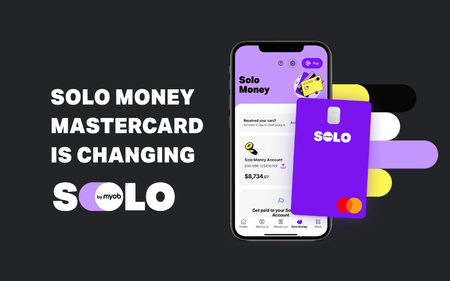
Your Solo Money Mastercard is changing.
1 MIN READ Your existing Solo Money Mastercard is becoming a Visa Debit card A quick heads up, Solmates: If you currently have a Solo Money Mastercard, it’s changing. From Wednesday 18 November 2026, your Mastercard will be replaced with a Solo Money Visa Debit card. What’s happening? Your new Visa card should arrive in the mail at least a week before 18 November. Keep an eye on your letterbox — exciting stuff, we know. We’re taking care of the switch in the background, so there’s nothing you need to do just yet. A couple of things to check now Make sure your details are up to date. Double-check your postal address so your new card makes it to you. Make a note of regular payments and subscriptions. Your card details will change when your new Visa card arrives, so having a list ready will make updating them easier later. What happens next? We’ll post in the community forum again before the switch with more details about what to expect and anything you need to do. Need a hand? If you have questions, don't hesitate to get in touch with us via chat in the Solo app.9Views0likes0Comments
Cannot delete or add payment categories
Hi, I have two issues with payment categories: There are duplicate categories for "solo money account". They are identical, so I want to delete duplicates, but when I try I get the following error: "Unable to delete this category. This category has transactions or it's needed for your accounting purposes". I assume this is because there are some expenses codes to the category. Is there any way to work around this? I have added a payment category for my superannuation fund. It appears in my "all categories" list in settings, but does not appear as an option when trying to record an invoice payment. What am I not doing here? Thanks Sean.81Views0likes3Comments
Primary Contact change.
Hi All, I am the sole Director and Secretary of my company, I filled up and sent the Primary Contact Change form and send it with Australian Asic documents and my driver's licence. There is a case number, and emails to remind I need access urgently. It's been more than 2 weeks since lodged. No reply yet, and phone calls no help because I'm not the primary user as it stands, that's why I'm trying to change it. On WEB says it should only take 3 to 5 days to process.37Views0likes0Comments
A little extra help with tax
Not sure if it is actually possible, I use solo and am a sole trader (entertainment) I have always been terrible with tax, a tax calculator or something that can help with suggesting how much tax you should be putting aside either monthly or per payment would just bring peace of mind, and take the stress out of preparing tax returns.43Views0likes1CommentAdd a search function in “Review Transactions”
I admit that I often get behind on my reconciliation and that is often because of the delay in my bank transactions being available to match to an entered receipt. as I’m often doing bulk matching, it would be extremely handy if there was a search function within the review list. To start with, the ability to search and filter by amount, date, supplier would be great! also, within the transaction to have clear dates rather than “more than 7 days ago” or “more than 1 month ago” etc. an actual date would be much easier to navigate the list. thanks, Crystal12Views1like0Comments
How to cancel subscription?!
I cancelled my subscription last week however today I receiced an email today saying my subscription will be renewed on 1/11/26. I have gone back to check my cancellation and only have the option to resubscribe which would suggest that my cancellation attempt did indeed work. But why the renewal email? I am trying to speak with a human via chat but every time I ask to speak with someone, the conversation doesn’t continue and my comments are ignored. It seems this is just how MYOB does things in the hope that they can extract another payment from people, despite them trying to cancel. Does anyone have any clues on how to actually resolve this issue? I’m currently going around in circles and don’t know how to actually speak to anyone about cancelling.65Views0likes1Comment
Refund On Expense, Not Income
I'm having trouble understanding how to properly process a refund on a business expense. For example: I make a purchase of $1000 and categorise it accordingly. If I then receive a refund of $500 on that order, how do I record it as an adjustment/correction on that category, rather than 'Income'? Thanks.Solved381Views0likes5CommentsSole trader tips and tricks: Come swap notes!
Even with all the world’s knowledge at our fingertips, sometimes what we need is some good advice from a real human! Being a successful sole trader takes more than just balancing your books (though that is super important). It’s the people, the plans, the learning, the juggling, and all the things you never knew you’d need to think about. It all plays a part in helping you and your business thrive! We in the Community Team might be able to give you great pointers on how to get the most out of Solo, but when it comes to living life as a sole trader, we all know that you guys are the real experts 😉 So, we want to hear from you! Because an internet search can help with a lot of things, but it just can’t beat sharing experiences, Solmate to Solmate 💜 If you’re a seasoned sole trader with a plethora of knowledge What are your best "I wish I knew this earlier" tips? What has been the biggest game changer for you while running your business? If you’re a newbie who’s still finding their feet as a sole trader What has been your steepest learning curve? Got any questions for the seasoned sole traders that Google just can’t tackle? Over to you, Solmates: what’s worked, what hasn’t, and what are you still trying to figure out? Tell us in the comments; no question or lesson is too small 🫶132Views2likes3CommentsVote for Quotes!
Hey Solmates! 😎 We’ve seen a bunch of you asking if you can create quotes in Solo. Right now, that’s a no-go—but that could change! 🚀 If this feature would make your life 100x easier, smash that vote button and drop a comment! 🗳️💬 Tell us how you’d use it, what you’d love to see, and why it matters to you. The more votes it gets, the closer it gets to landing on our roadmap. Let’s bring this to life! ✨3.5KViews166likes63Comments
Make Switching to Solo Simple and Seamless
It would be amazing to have a tool that lets me quickly transfer invoices, contacts, and expenses from my old accounting system or excel when I start using Solo. This would make onboarding so much smoother and really encourage businesses like mine to switch over.1KViews46likes13Comments
My Transaction report is not correct
I have just generated my Transaction List Report for the last financial year to give to my accountant and I have realised that there are mistakes in it. The July 1 2025 opening balance is around $6000 less than the bank balance. This means that every subsequesnt Opening and Balance figure in the report is incorrect by the same amount. Also the dates for each transaction do not always match the date shown in my corresponding bank statement. Is this a known issue and in so, how do I fix it?78Views0likes1CommentWelcome Solmates: Introduce yourself here!
If you’ve just joined Solo (or have just found our community), you’re in the right place. This community is for swapping ideas, and getting unstuck as we build our things: side projects, businesses, careers, whatever the mission is. To kick things off, we’d love if you could drop a quick hello below and tell us a bit about you. No pressure—just enough so we can put a person to a username. Where are you joining from? What are you working on right now? What’s one thing you’d love help with (or can help others with)? And for fun: what’s your go-to focus soundtrack / snack / ritual when digging into the Work-Work? Have a look around, jump into any thread that grabs you, and if you’re not sure where to start—this one’s perfect. We’ll be keeping an eye out and saying hi back. Over to you—say hi 👇 (hot tip: we’ll start a new one of these every few months)Quoting
So i was trying to send a quote today, i added in all labour and materials ( had to manually add a 20% margin on to each material, kinder annoying and time consuming) then when i went to send the quote i couldn't see a button on how to alter the way my client would see it. Because i dont want them to see the prices of labour and all materials individually. Is there a way to send quote when they just get one price which is the total of the labour and materials instead off a full breakdown of the price but also allow me to see the full breakdown so when its time to do the job its easy for me to organise ordering materials and setting aside the right amount of time? cheers Hugo107Views0likes1CommentHow long does it take to connect my commbank to myob solo
As of now ive been waiting 20 hours. When i check the tab called "connected accounts and settings " it says "connecting" but i have received emails from commbank stating that the connection was successful. Is this a slow process or has something gone wrongSolved129Views0likes3Comments