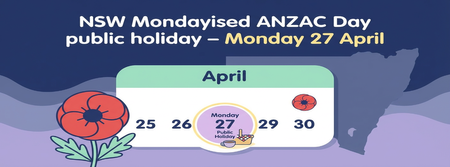
ContributionsMost RecentMost LikesSolutionsMYOB PayGlobal issue affecting workflows We recently identified an issue affecting some Australian MYOB PayGlobal customers’ ability to edit and approve workflows. Following the Employee Self-Service 5.72 update deployed on Thursday 4 June 2026, we identified an issue where some updated workflows could not be edited or approved. Impacted workflows may include leave requests and allowances. A fix is being applied from 9:00am AEST on 9 June 2026 and is expected to take up to 3 hours to roll out across all customers. There will be no impact to product access during this time, and we will continue to monitor performance throughout the rollout. As part of this fix, we have also updated all workflows created on or after 1 January 2026. This is expected to resolve the issue for most customers. However, some workflows may still remain in an error state. If you experience an impacted workflow, please follow the steps below. Take a screenshot of the failed workflow, or note the details, including what it relates to, the dates, and the number of units. Use Process Flow Delete to remove the errored workflow. See the steps here. A user with the manager capability will need to resubmit the workflow. If you continue to experience this issue after following the steps above, please contact MYOB PayGlobal Support for further assistance. New Mondayised ANZAC Day Public Holiday for NSW (AU) Do you have any employees based in New South Wales? The NSW Government has announced an additional public holiday for ANZAC Day on Monday 27 April 2026 (and again in 2027 when ANZAC Day falls on a weekend). You can read the full announcement from the NSW Government here: NSW Government release for Mondayised Anzac Day To make sure your NSW employees are paid correctly, you’ll need to set up this new public holiday in MYOB PayGlobal. You will also need to adjust any existing leave requests covering 27/04/2026. See the ‘Where to find additional information’ section of this post. What you need to do in MYOB PayGlobal Create the new public holiday Go to Organisation > Entitlements > Holidays. Rightclick the list of holidays and click Add Record. The Add Holidays window opens. Enter the relevant details for the new ANZAC Day Monday public holiday (for example, code, description, date, statutory flag). Click Save + Close to create the new holiday. Add the holiday to the appropriate Holiday Group(s) Go to Organisation > Entitlements > Holiday Groups. Doubleclick the relevant holiday group and click Edit to open the Edit Holiday Groups window. Rightclick the list of holidays and click Add Record. On the Details tab, select the new holiday in Holiday, and choose Public Holiday as the Reason. Click Save + Close to add the new holiday to the group. Repeat these steps for any other Holiday Groups that should include this new public holiday. Where to find more information: If you’d like more detail, including how this might affect other payroll activities (like new starters, terminations, or existing leave requests), please see our help article: Adding a Public Holiday in MYOB PayGlobal Customer support portal We are super excited to share the recent release of the customer support portal and this is fast becoming the primary way customers are engaging with the MYOB PayGlobal support team. At the start of October 2025, the Customer Support Portal was released to our customers. This gives Authorised Support Users the ability to raise and review their tickets in a single place, this is not only support queries but also your professional service & general account enquires. The journey so far On the 3 October, login emails were sent to active authorised contacts inviting them to setup their account, we have also since triggered a follow-up. Within a month over 50% of the invitees have setup their account and have started engaging via it. Further details about the portal is located here.