Hi
I would like to add a web link to our website on all of our forms. I can see a field "WWW" but unsure how to add the website details. I want our clients to be able to click the link to go straight to our T&Cs.
Hi @traceyb1
May I ask what PDF software is generating the PDF? AccountRight is only supported with Adobe Reader as per the system requirements, so depending on what program is generating the PDF (i.e. Nitro PDF or PDFCreator) it might not add in the hyperlink information to the text and therefore not allowing a clickable link.
Didn't work ?
Thank you, I will give this a go. I was using fields not text boxes.
Thank you for your post.
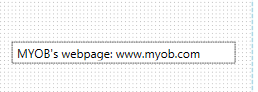
AccountRight does allow you to type in the web address for a hyperlink. You can do this via text box, you would add in your text and add in the full link address to that relevant page. For example www.myob.com.au
When the customise form is generated to a PDF it will add in the hyperlink information so the user can be directed to this page.
Please let us know how you get on.
Self-help & Learning
Level up your skills and find answers across all MYOB products
Help Guides
MYOB Academy