Recent Blogs
Solo starter kit
1 MIN READ Want to help your new Solo client get up to speed faster and use all of the Solo features? We've got you covered! Here's an easy getting started guide Share this link with any Solo clients you're working with, so they can download and maximise the benefits of using Solo by MYOB.162Views0likes0CommentsSolo Money has arrived
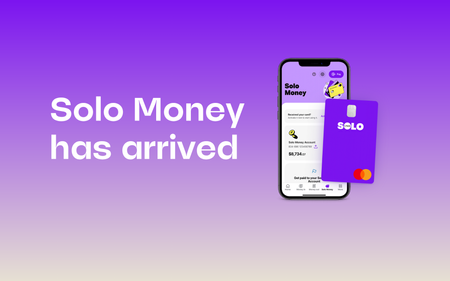
2 MIN READ We’re excited to announce the launch of Solo Money, a business bank account built into Solo. What is Solo Money? A dedicated business bank account built into Solo. Your clients can stop sifting through their personal bank statements trying to find business transactions. $0 monthly account keeping fees on active Solo Money accounts* It’s free to set up a Solo Money account and there are no ongoing account keeping fees* Apply in minutes Solo users can jump into the Solo app and hit Solo Money to apply. If they’re approved, they can get their own PayID and a Solo Business Debit Card ready to add to their digital wallet. What does this mean for your clients? Less juggling of apps – bringing banking and business admin together. How do they apply? To speed an application up, Solo users need to make sure they have these things handy: ABN Business details Driver’s licence or passport Your clients need to have the latest version of the Solo app to access Solo Money. If they can't see it, they can check for updates or switch on auto updates to always stay ahead. Please note you won’t be able to able to apply on your client’s behalf. The Solo Money account is distributed by MYOB Australia Pty Ltd (ABN 13 086 760 198, Australian Financial Services License 241059) and issued by Great Southern Bank, a business name of Credit Union Australia Ltd (ABN 44 087 650 959, Australia Financial Services Licence 238317). The information provided is factual only and does not consider your personal needs, objectives and circumstances. Our disclosure documents, including a Target Market Determination for the Solo Money account, can be found on our website. * If the account has a balance of less than $500, a fee of $10 per month will apply unless at least one transaction is made in a 6 month period (other than transactions initiated by us, such as crediting interest or debiting fees and charges).Other fees may apply. See terms and conditions for full details.189Views0likes0CommentsGet secure access to your client’s Solo file
1 MIN READ We have an exciting update! Your clients can now invite you to collaborate on their Solo file to get them tax-time ready. Once they send the invite, you’ll be able to access it via the MYOB browser or MYOB Practice ( You won't be able to access the Solo app). Watch this quick video to see how it works: If you want to learn more you can: View the help article that runs you through how to view, edit, and create records. Visit the dedicated Solo Partner landing page and view the FAQs. And there's more on the way! Soon you will be able to generate a referral link from MYOB Practice to refer Solo. We'll let you know when it's available. In the meantime, you can still recommend Solo. Just share the promotional code ANNUALSOLOPP6 and your clients can get Solo for $6 for their first 12 months* when they enter the code at checkout. * Pay $6 (inc. GST) for the first 12 months when your clients sign up for an annual subscription of Solo by MYOB suing the promo code. Base subscription only. Additional fees and charges apply for optional features like Tap to Pay. Offer ends 31 July 2025, unless varied. Not available in conjunction with other offers. Further exclusions apply. See Offer T&Cs.126Views0likes0CommentsTerminology comparison: Solo vs MYOB Business
1 MIN READ Hi everyone, For advisors who are used to our MYOB Business software, there are some differences in the terminology used in the Solo app. Your experience accessing the solo file in the browser will use all of the terms you are familiar with. But your soloist using the app will see some different terms that are more their style. Invoices are still called invoices Bills (MYOB Business) are referred to as 'Unpaid expenses' in the Solo app Please take the time to view the full list here Save or bookmark the file above for easy future reference as well. Cheers, Mike132Views0likes0CommentsFrequently asked questions - Accountants and Bookkeepers
1 MIN READ Hi all, You have questions, and we've got the answers! Check it out here How are the returns integrated and filed with ATO? Click here Can I export data for providing advanced reporting / or across group reporting where I manage the entities? Click here Can a Solo operator share their file with an accountant similar to Lite, Pro and AR? Click here Who is responsible for customer support if clients encounter issues, and will accountants have a role in troubleshooting? Click here Can the Solo customer share data with me? Click here Can accountants assist with data corrections or oversight? Click here Will bookkeepers be able to collaborate with accountants who are supporting the same client, or will data sharing be restricted? Click here How can a bookkeeper and accountant receive support for a Solo file? Click here How does Solo handle unique situations like cash-based transactions, adjustments, or errors, which bookkeepers typically manage? Click here If we start to see more common questions coming up from our customers and our community, I'll do my best to keep this page updated. Thanks! Mike188Views0likes0Comments