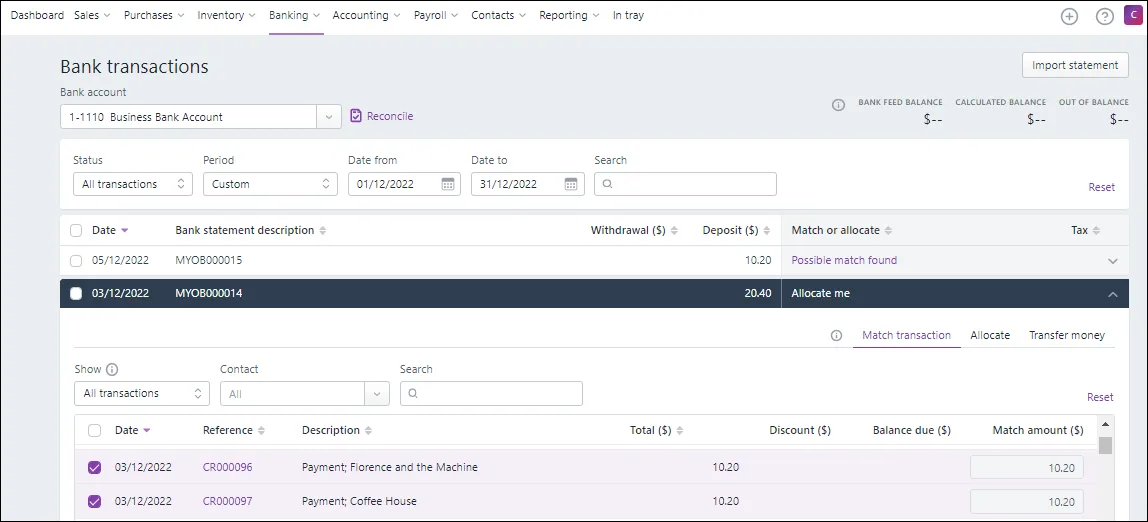
The manual "match transaction" feature is not finding amounts transferred from one bank account to the other - same day, same amount, even if I search for it. how do I match these transactions off?
Thank you for your attention in this matter. I worked it out. Allocate me does work if you use Transfer Money instead of Match Transactions. This problem is resolved.
I'm sorry First option the 'allocate me' solution does not work.
Second option 'Automatically match bank transactions to MYOB bills and invoices'. - this is not a bill or an invoice. It is supposed to work like the Manual matching instructions in the link you provided - it is not finding the possible matches
"If there isn’t an automatic match, (for example because of a rounding difference in the amounts), or you'd like to match one bank feed transaction to multiple MYOB transactions, click Possible match found to view the possible matches. To help find matching transactions, use the Show, Contact and Search fields. Select one or more transactions to match the bank feed transaction to then click Save:
Hi @bevmacl,
Thanks for your post and the screenshot. Looking at it, I see there's a transaction at the bottom that matches the $799.60 amount. If you're manually matching transactions, you need to select the transaction below and click 'allocate me' to match it. But if you want this transaction to automatically match, you should go to Banking > Bank Rules and choose the option to 'Automatically match bank transactions to MYOB bills and invoices'. You can find more information in this article about how bank transaction matching works in MYOB Business.
Feel free to post again if you require further help.
If my response has answered your inquiry, please click "Accept as Solution" to help other users find this information.
Kind regards,
Shella
Self-help & Learning
Level up your skills and find answers across all MYOB products
Help Guides
MYOB Academy