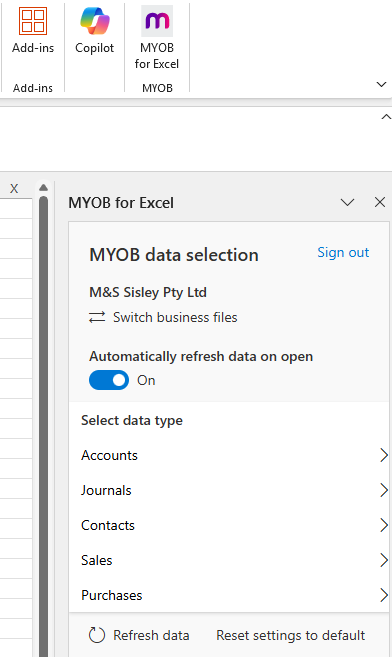
I've gone through existing community notes as best as possible but am needing help with next steps.
Desktop version of MYOB AR. Workstation has had a recent upgrade to W11. OneDrive has recently been switched on. Today Reports / Export to Excel stopped functioning. The function is not greyed out. There is no error message, the screen gives a minor flicker of acknowledgement, but otherwise no Excel report is generated.
- AR has been uninstalled and reinstalled
- MYOB Cache has been cleared.
- Other suggestions say check Excel integration settings are configured correctly in MYOB, however I don't know how to do this. The only notes on HOW to do this take me to instructions on adding an ADD-ON within MS Excel. Screenshot below shows were I'm up to and all that happens in the 'select data type' are a bunch of tick boxes. Nothing seems to improve the situation.
- I'm not even sure if this is even the right fix or if I'm meant to be doing something else
- Also just wondering why I'm here and why the two programmes I use the most are just not doing what they're meant to.