Add PayID info to invoices
At the moment, it seems that a PayID cannot be added to the bottom section of an invoice, only BSB/Acct number and Pay online/BPay (for those using the latter two). Could we please have the ability to add our businesses PayID to the invoice, so people can elect to use that instead of the BSB/Account number?202Views4likes3Comments
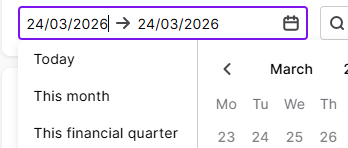
Yesterday button on Bank Reconciliation
We are large enough that we need to reconcile our bank accounts daily. I am trialling using this function in the browser rather than the desktop version. The software seems to default to a previous quarter. I just want to see yesterday's transactions. There is a button for today. Could there not be a button for yesterday? Otherwise I have to muck around clearing out date ranges.109Views2likes2CommentsAccountRight Bank Feeds - In the Spend Money menu could there be an option to use a Recurrent Transaction ?
Situation at present: I go to the Banking command centre and select Spend Money - then select Use Recurring Transaction, find the payee and record the new instance of that payment (e.g. my monthly phone bill). Next, I go to Bank Feeds, find the payment (often a direct debit) and match it to my new payment. To save time, when I go into Bank Feeds - Spend Money, could there be an option to open the Recurrent Transactions list and select a recurrent transaction, to allocate the Bank Feed payment ? (Kym in Palmerston, outer Darwin - a MYOB Certified Consutant since 2007 and AR user since 1995)301Views3likes10CommentsAdd multiple payments to one invoice at one time!!!
Especially now that payments from Support at Home payers comes in separate payments for each service in the one shift, I can get 8 or 9 small payments for the one shift. To have to individually add each tiny payment to the invoice is sooooooo frustrating! Why can’t the select function then work to match multiple payments at the one time to the same invoice?60Views0likes1Comment
user selectable default bank account for spend money transactions
It would be great to be able to change the default bank account when posting a new spend money transaction, either directly or via Uploads. Everytime we post a new spend money, the bank account reverts back to the default bank account, whereas most of our spend money transactions are actually from a credit card. Either to specify a different default account for different types of bank transactions, or have the last used account for the previous bank transaction be remembered for the next transaction. I know a similar idea was floated last year, I'm hoping that more users will engage this time round.66Views0likes1Comment
Filtering Recurring Transactions in Business Pro
In MYOB Business Pro, in the Recurring Transactions drop down box under Banking - Spend and Receive Money, I wish you could start typing the name of the recurring transaction that you are looking for and have it come up with only the recurring transactions that contain those words (like it does in AccountRight Plus) instead of having to scroll down the long list every time.....62Views0likes1CommentSpend and receive money needs to remember the last bank account
When manually posting bank entries in Business, why does the selected bank account switch back to the default bank account after you select the [Record and new] button? If I am about to enter another spend or receive money entry, I want the software to keep the same bank account. Please add this to the huge list of things that need to be fixed to make the software efficient to use.224Views5likes3Comments