Drag & Drop Not Working - in "Bills Attachments" only
Desktop App Works fine when drag and dropping into the "In Tray" from email current MS365 When in a current Bill (or Sale - we are part of the trial for Sales, Journal etc attachments) Drag a pdf (from email) and screen greys out. Have to "close" at bottom to get out (as "Add Documents" greys out too (only after trying to drag and drop). If you close out and go back in and click "Add Documents" you can attach from hard drive without an issue. If the same process is done "In Tray" there's no issue, works fine, so it appears to be an AccountRight issue not a limitation of MS365 or Windows 11. This has been an issue since we upgraded in August.306Views0likes5CommentsComment Box pops up and then won't go away
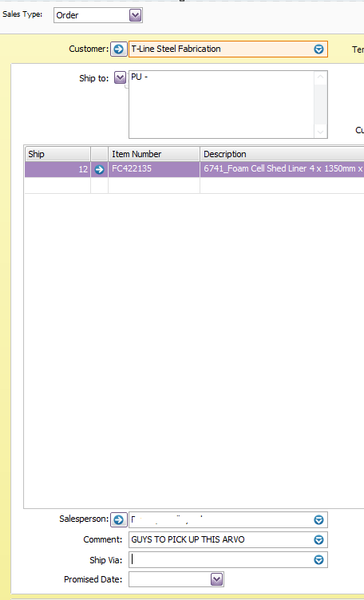
AR Plus Desktop - Windows 11 After creating a sales order and entering a custom comment, the comment popup box appears following a print preview. This covers the form select box making it difficult to see what form is about to be previewed. Only happens when a custom comment is entered. As you can see above, you can't click the cancel as this is not the active window (the Preview window behind is)70Views0likes0CommentsRecurring Schedule Information Alerts not changing alert name
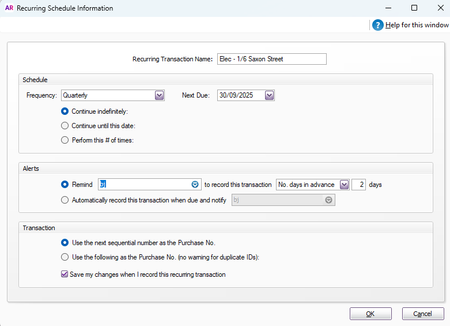
AccountRight Desktop Recurring Transactions List>Edit Schedule>Alerts I change the alerts>user from myself to another staff member. Click OK. Head back in and it is still displaying that the alert is reminding me even though it has actually changed to the other user. Can you advise if this is a bug or how this can be fixed? This has been happening since we moved from AR Enterprise to Plus in August. 1. Open Edit Schedule 2. Make change and click OK 3. Open Edit Schedule again - is displaying original user again - although the change has worked but is just not displaying changed user. This doesn't update if I close the page and re-open or log off and back on again either67Views0likes0Comments
Here's a novel idea - FIX ALL THE BUGS. And in particular, recurring transaction reminder alert user selection
When trying to edit a recurring transaction, the user to receive the reminder alert changes to whoever is editing the schedule. Why??? From what I can see, it was a known issue back in 2021. I shouldn't have to reselect it each time, and sometimes I might not even know who it's supposed to be! As other users have reported in archived/closed posts, there's no way to report who receives alerts, so as soon as I open the edit schedule window, I can no longer see who should be receiving the alerts because the system fills in my name... (If there is a way to do it, I haven't found it, and it would be useless after I've accidentally saved it with my name anyway.) There should be a whole other section (if not in the forum, then directly to MYOB) for reporting bugs - these are not 'ideas'. They are things that have broken that your developers and decision-makers can't be bothered addressing.1.5KViews7likes12Comments