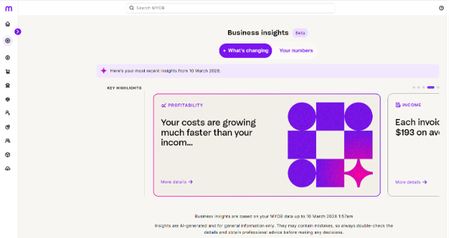
New in AI Business Insights (Beta): Profit Insights and Smarter selectors in Your numbers
We’re excited to share that we have added in more features to AI Business Insights this month. What’s new Profit insights See how your profit and margins are trending over time, so you can tell if revenue is growing faster than costs, spot early signs of margin squeeze, and understand whether you’re moving closer to or further away from break-even. Your numbers: Date range selector for Income, Expenses and Profits Choose the period you want to look at directly in Your numbers, so you can select a custom date range that matters to your business for Income, Expenses and Profit. Report links that remember your time filters When you jump from Your numbers into your reports (like Profit and Loss), any time filters you’ve set are automatically applied. No need to reselect dates – your reports open already aligned with the dates you were just exploring. Accounting method selector (Cash or Accrual) Choose your preferred accounting method to view your numbers in cash or accrual, so you can see performance the way you (and your advisor) prefer and easily compare results across views. How to try it Open AI Business Insights (Beta) from the purple banner on your MYOB Business dashboard. Select Your numbers. Use the Date range selector to pick the period you want to review. Use the Accounting method selector to switch between Cash and Accrual. Scroll down to explore your charts and summaries. Click through to your usual reports (for example, Profit and Loss) — they’ll open with the same time filters and accounting method you’ve already chosen. Share your feedback These updates are part of the ongoing AI Business Insights (Beta), so your feedback is important. Use the thumbs up / thumbs down controls in-product where available. Or reply in this community thread to let us know what’s working well and what could be clearer. Thanks!51Views0likes0Comments