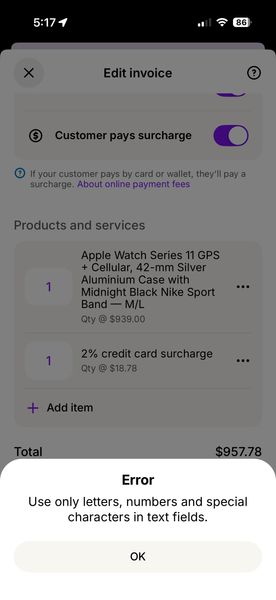
ContributionsMost RecentMost LikesSolutionsRe: New MYOB App doesn’t accept text entered on computer It appears to be fixed for me. Thanks for the update! Re: New MYOB App doesn’t accept text entered on computer Thanks for the response Amanda. The problem isn't caused by special characters in my business name. It's caused by special characters in the description field of one of the items on the invoice which was created in the web browser on a computer. The new MYOB mobile App chokes on this character and gives the error. Please fix the App so that all invoice fields accept the entire character set, just like your website does on a computer. In my case, the character it choked on was "—" (option-dash, or long-dash). Re: New MYOB App doesn’t accept text entered on computer Still occurring New MYOB App doesn’t accept text entered on computer If I enter an invoice on my computer, when I go to edit it on the new MYOB App, I get an error that certain text characters aren’t allowed. I have to go and edit each field laboriously before I can save the invoice. Please fix this bug.