Stop Searching the Card File Type ie the word "Customer" or "Supplier"
Desktop When searching in the card file, why does it find the word "Customer" and the word "Supplier"? No wonder these searches take so long when you are searching starting with "cu" or "su" I would also suggest that the search doesn't start until the enter key is clicked. This would speed up searching by heaps.115Views1like3CommentsMove Delete Card to underneath "Help for this window"
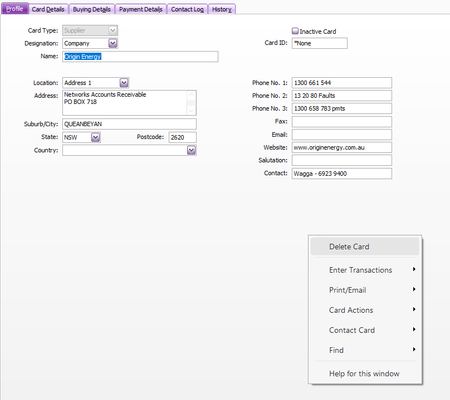
Why is the first item in the right click menu "Delete Card"?? Doesn't make any sense. Doesn't seem like an important item to me as you very seldom delete a customer or supplier. Find Transactions would be used much more and should be first up at the top.Start Card File Search after clicking enter
Desktop Stop auto searching as you type in the card file. When the customer & supplier list is large, auto searching just slows everything down. Change to search after clicking enter. Also stop searching the words "Customer" & "Supplier" under the Card "Type" field.82Views2likes2Comments