🟣 CA FAQ — Why am I getting a "access denied" message when opening an AccountRight file in AE/AO?
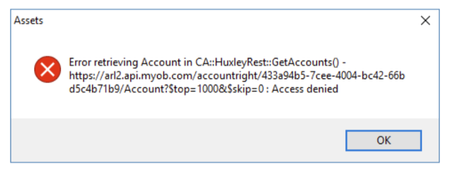
If you use AE/AO, you may encounter an "access denied" error when trying to open an AccountRight file in Client Accounting, similar to the message below: This is often due to the default Administrator user in the AccountRight file being linked to a my.MYOB account or set up with a password. This Administrator account is used by AE/AO in the background to connect to the configured files. If there is a password or email linked to it, Client Accounting will not be able to authenticate, and this throws up the error message. ⛔ You can confirm this by opening the file in desktop AccountRight and checking the following: Create an online MYOB login for this user should be unticked ☐ The Email field should be blank If the Administrator user has been linked to an email address/MYOB login, you will need to create a new user account in desktop AccountRight. You can name this account something like "AO Admin". Leave the above fields blank/unchecked and ensure the user account has administrator privileges selected. Do not enter a password. ❌ Once this new account has been created, you will need to go back into AE/AO and run the CAConfig script to remove the current configuration settings: Running an SQL script in AE/AO From there you will be able to reconfigure, entering the AO Admin (in this case) account in the Username field, and ensure you leave the password blank. Please reach out to the Client Accounting team if you have any questions. Scott Client Accounting MYOB87Views0likes0Comments🟣 CA FAQ — My client has cancelled their MYOB Business or AccountRight file, why can I no longer access it in CA?
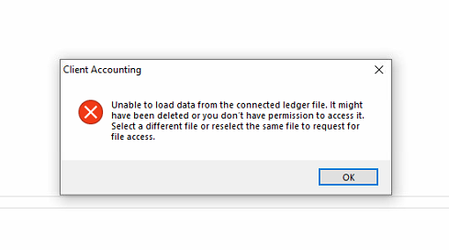
If an MYOB Business or AccountRight file configured in AE/AO has been cancelled, you will likely encounter an error when trying to open the Client Accounting tab, similar to the screenshot below: This is because the ledger data is stored in the underlying online file, not within AE/AO itself. You will be unable to open this client in Client Accounting unless it is reconfigured (for example, to an AE or AO Ledger), or the file is temporarily reinstated. To reconfigure, please contact the Client Accounting team via support channels, and we can assist you with this. To reinstate the file, the Owner of the subscription will need to contact our MYOB Business or AccountRight teams. Please note that there may be limitations on whether this can be done, dependent on how long ago it was cancelled. 🟣 Bonus: To help prevent issues like this, we recommend that practices ask clients to notify them if they plan to cancel a file subscription. Scott Client Accounting MYOB104Views0likes0CommentsComplete list of MYOB AccountRight HELP & Learnings
Hi to my fellow BAS Agents and Bookkeepers, For all MYOB AccountRight Users (complimentary HELP resource) Although I am well into the final stages of planning my retirement (just in my last six months of being an MYOB Certified Consultant), so as you can guess my mission was not to look for any more work. However, a new bookkeeper that was looking for some help and guidance happen to find me. To this end, and wishing to provide a complete self-help reference guide, I have compiled a hierarchical list of all the available AccountRight tasks and relevant MYOB Academy learnings. Save the attached PDF and have a browse to view the TASK list of all relevant live links to the MYOB online help. Let me know if there is something not in there that you are looking for and or don't understand. Have a great day, take care and stay safe.3.7KViews8likes4Comments