Gst question
Good afternoon everyone If the client is registered for GST and has not collected any, I would assume he needs to add 10% to the income he has collected to arrive at what is owing. A colleague has suggested that he owes 1/11 of the income he has collected Which of us is correct? Please and thank you Zappy41Views0likes0Comments
Great News! Extended Hours for EOFY Support!
Hey everyone, We know the End of Financial Year (EOFY) can be a busy time, and we want to make sure you have all the support you need! For those who might not have heard, we've extended our opening hours to give you even more flexibility during this period. That's right, we're open longer to help you with any last-minute queries, support requests, or assistance with installation of the new 2025.0 update! From the 28th of June to the 20th of July we are open Mon-Sun. Please see below for our contact hours for phone and chat during these dates: Phone: Mon-Friday 9am-5pm Sat-Sun 9am-5pm Chat: Mon-Friday 9am-7pm Sat-Sun 9am-5pm You can find all our updated contact details and extended hours on our Contact Us page or you can access our new chat bot MOCA via MYOB Practice or now from within AE/AO with the new 2025.0 update! Please visit this page on how to chat with us via MYOB Practice. Wishing you a smooth and successful EOFY! Cheers, Aiden from MYOB354Views2likes4Comments
Depreciation not integrating correctly into MYOB AE
Just wondering if anyone has had any issues with depreciation not intergrating correctly into tax return, especially when clients have a sbe general pool. We have come across 2 clients now where it is calculating correctly in the schedule but when it intergrates automatically into the tax return it is also including the opening pool balance along with the actual depreciation. it appears to only be when a client has the general pool and other depreciation categories. This is causing us to have to un integrate all the depreciation for these clients and then manually type in the correct depreciation figure into the tax return. This can be quite a timely task when clients have alot of assets to remove the integration318Views0likes1Comment
ATO Lodgement Errors
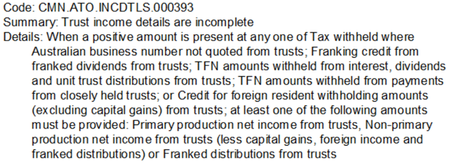
Hi We're trying to lodge a 2024 Trust Income Tax Return in MYOB AE and it is being rejected with the following validation errors: Errors Code: CMN.ATO.GEN.XML01 Fields: Summary: The message did not pass XML validation. Please contact your software provider. Details: If the 'nillable' attribute is false in the schema, the 'xsi:nil' attribute must not be present in the instance. Code: CMN.ATO.GEN.XML03 Fields: Summary: A field contains invalid data (such as letters in numeric or date field). Details: The value specified for an item does not match the item type (value = "", item type = Decimal, uniqueID = http://www.sbr.gov.au/ato/trt:AssetsInventoriesTotalA) Hint: The string '' is not a valid Decimal value. I have tried deleting the return and re-entering - same issue. Any other ideas? The only details I can find online for these errors talk about STP finalisation.... ThanksSolved4.8KViews1like17CommentsGuide: Rescheduling Agent Reports for the new year in AE/AO
Learn more about rescheduling agent reports in AE/AO desktop, more information and step by step instructions for scheduling each report can be found on this page. Reports are either Scheduled or On-Demand. To schedule a report: Open the Agent Reports home page, select Tax > Agent Reports. You’ll have the option to schedule the following: Activity Statement Lodgement Report (ASLR) EFT reconciliation report (EFTRS) Income tax client report (ITCRPT) If you need to unschedule a report, you’ll need to: Select an agent from the Agent dropdown. Select the relevant report and click Unschedule report on the tasks bar. Click yes. Feel free to reach out if you have any more questions!90Views0likes0Commentstax return showing as rejected but lodged with ATO
we have had a couple of individual returns lodged and they show as being rejected with error CMN.ATO.IITR.EM0053 - Car Expenses - Total business kilometers (cents per km method only) allowable has been exceeded The returns are showing as lodged on the ATO portal and neither return has exceeded the motor vehicle claim amount. Just wondering if there is any known fix for this or will we just wait for 2024 tax rolloutSolved387Views0likes2Comments