Clearing down the GST Paid account?
Hi there I am operating on a cash basis I have a "GST Paid" and "GST collected" account(s) in MYOB Account Right. Both are detail accounts in the "GST Liabilities" header account. The Context: My accountant does not seem to clear or zero-out these accounts at the end of the year, nor when I pay my BAS. They just keep building and building and building every year - e.g. thousands and thousands of dollars have been accrued over time in the "GST Paid" and "GST Collected" accounts. I don't want to ask my accountant because asking her anything is gonna give me a major headache, and she'll take 2 weeks to respond etc. not worth the headache. The Question: Is there a legitimate reason why this is not cleared or zero-ed out after i finalise the BAS every quarter, or when i finalise my returns at the end of the year? Thank you Any ideas or pointers would be much appreciated.152Views0likes3Comments
AI BAS
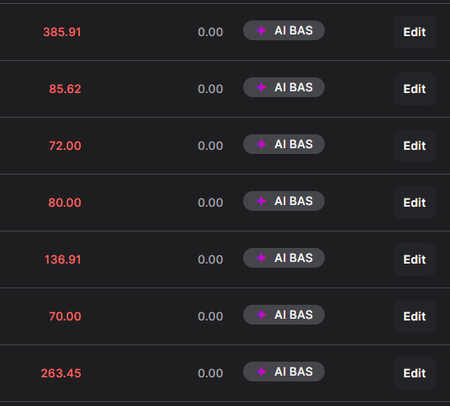
Hi guys! Has anyone tried using the AI BAS feature? I thought it would be a great idea but I'm spending more time manually applying GST to my expenses as the AI review is not picking them up. Transactions are allocated with a GST tax code but when I run the AI BAS review, the GST amount is always $0.00 - Until I tick the box that says 'Calculate GST using percentage rate' Is there a setting to make this the default? Seems a bit silly to be paying $25 a month extra for something that I need to do more manual work on to ensure it is correct. er132Views0likes1Comment
Digital Signatures - Proof of authorised persons
Hi I am new to clients signing BAS and documents via MYOB Practice and would like reassurance about the validity of signatories. IF we lose access to the Practice Dashboard or close our Partner practice, a downloaded PDF of a signed BAS or document, with only a ‘signers name and date of signing’ displayed at the bottom of a document, seems insufficient evidence of who the authorised signatory was. I would have thought at the very minimum, the signatory’s email address would also be displayed. I realise you can see when a task is created, assigned and approved, but again there is no proof of who received & signed it. Please don't direct me to look at the full user settings in the client portal, as this information would be obsolete in the event we lose/close the partner portal access. I've been using AdobeSign where you’re provided an audit report displaying the Signatory’s name, email address, date/time of signing, and IP address which is why I'm now looking for reassurance of this process. Also, is there a way to download or save a completed task to show the activity and comments history for each? Perhaps my settings are incomplete and I'm not seeing the whole picture, which is possible as it's taken months for myob to fix my access and settings to start using it. Appreciate any feedback or guidance. ThanksSolvedGST Report in Solo: Know your numbers without the headache
Staying on top of GST doesn't have to mean hours of manual number-crunching. Solo's built-in GST Report gives registered businesses a clean, clear breakdown of GST collected and paid across any period — from a single month to a full financial year. Accessible directly from More → Reports → GST Report, the report organises your transactions into key sections covering sales, purchases, and expenses, with a GST summary that shows your overall position at a glance. You can export as PDF or Excel (CSV) for easy sharing with your accountant or for deeper analysis. The GST Report is only available if your business is set up as GST-registered in Solo's Business settings.76Views0likes0Comments
BAS Report cannot display Monthly PAYG and Quarterly GST
The ATO have asked me to pay my PAYG monthly, but my GST payments remain quarterly. There is an option in the BAS Report Settings to set this up in MYOB. I have set my PAYG to report monthly, and my GST to report quarterly. See the screenshot 'BAS Report Settings'. However, the BAS Report appears to always default to the GST settings, ie the whole report runs between quarterly dates, regardless of the PAYG setting. See the screenshot 'BAS Report Creation'. How can I get the BAS Report to report PAYG monthly, with GST only reporting quarterly?421Views0likes5Comments
BAS reciepts and transaction link
Hello I am new to all of this. Do I need to link my reciept uploads to their transactions before completing BAS? Do I just create spend money transactions for all reciepts? Or do I need to find each transaction and link it? Thank you in advance147Views0likes1CommentBAS Reporting/Preparation Variances
We’re experiencing ongoing issues with a client’s BAS being out of balance every quarter and are hoping someone in the community has encountered, and resolved something similar. The problem is that the BAS Report figures do not match the figures that flow through to the actual BAS preparation screen. Each quarter there are unexplained variances between the BAS Report and the BAS itself. We have already Confirmed the reporting basis cash vs accrual is consistent Checked date ranges align with the BAS period Reviewed GST tax codes for consistency Looked for manual journals or adjustments to GST control accounts We contacted MYOB Support, but unfortunately the assistance wasn’t helpful and didn’t identify the cause of the variances. A major challenge is that, due to MYOB’s restricted reporting dates, we are unable to break the BAS down week by week or month by month to isolate where the differences are occurring, as the reporting periods cannot be adjusted. Any insight or guidance would be greatly appreciated.260Views0likes1Comment