Request: Restore unattended update capability from AccountRight Server Edition
We are trying to replicate functionality that was previously available with the AccountRight Server Edition and that is particularly important in hosted/RDS environments. Our client operates AccountRight within an RDS farm in a hosted environment. Rather than maintaining a separate AccountRight installation within each user's %AppData% profile, we have relocated the AccountRight application folder to a shared location on a file server. Multiple users execute the same installation from this shared location. This works perfectly well for normal operation. The problem occurs with automatic updates. The AccountRight update process needs to create and modify files within the application directory. Because the shared application directory deliberately does not grant normal users Modify/Write permissions, an automatic update initiated by a standard user cannot complete. Our current workaround is to have an administrator with sufficient permissions launch AccountRight, allow approximately 60 seconds for the update process to detect, download and install any available update, and then close the application so that the update/restart process can complete. This is obviously not suitable as a proper unattended administration process. Requested functionality We would like MYOB to restore the unattended update capability that was previously available with AccountRight Server Edition. Specifically, we would like a documented command-line operation that: can be executed without displaying the AccountRight GUI; checks for an available AccountRight update; downloads and installs the update using the same update mechanism currently used by AccountRight; can be executed under a scheduled task, service account, SYSTEM account, or other administrative context; returns an appropriate exit code indicating success, failure, or that no update was required; and does not require AccountRight to be interactively opened and subsequently closed to initiate the update. Ideally, this would simply expose the existing update functionality already present in the current AccountRight PC Edition through a supported command-line interface. This would allow organisations operating AccountRight in RDS, terminal-server, hosted, or other centrally managed environments to perform updates in a controlled and unattended manner without granting ordinary users write access to the application installation directory. We are not requesting a different update mechanism — only a supported, unattended way of invoking the same update process that AccountRight already performs when the application is launched interactively. This functionality was available in the former Server Edition and would be extremely valuable to have restored for the current PC Edition.
Attachments sometimes don't show Notification
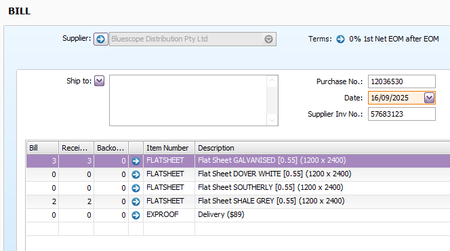
AR Desktop - Purchase Bills Sometimes the attachment notification bubble doesn't show. When this happens the little preview - top right corner of the bill also doesn't show even though there actually is a pdf attachment loaded. In the case below one attachment is not showing. This was uploaded to the bill directly and not through the in tray. Not sure if this has anything to do with it?Supplier Invoice Number Warning Bug
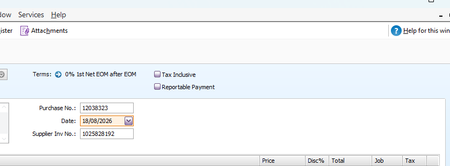
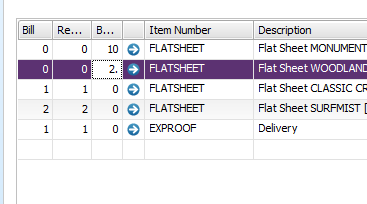
This bug has just come up in the past few updates. I will be warned that an invoice number (or reference has been used). When you go to the PO it is not. In this case this PO did have this reference originally but then had an official Bill (invoice) number entered later. Would be good it this could be fixed because this warning is annoying. Also the warnings don't stay with AR Desktop. They dominate over ither programs (see final screenshot (using Windows 11).Allow Drag & Drop from Outlook Classic into Invoice & Bill Attachments
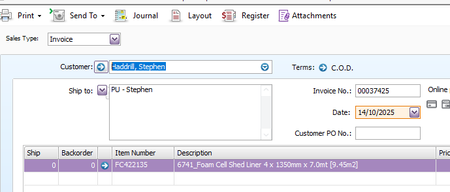
Anyone else noticed Drag and Drop works from Outlook Classic to AR Desktop "In Tray" without any issues but Outlook to "Invoice" or "Bill" Attachments doesn't? Here's what AI says is the issue. Question: Why does drop and drag from outlook classic 2026 to accountright desktop 2026 only work for the in tray and not bill attachments? Response: The difference in drag-and-drop behaviour occurs because the In Tray processes files through a general Windows file-drop handler, whereas direct Bill Attachments rely on a specific modal form control within MYOB AccountRight that fails to capture the OLE/COM data stream sent directly from a Classic Outlook message body. Technical and Application Reasons The In Tray Engine: The In Tray acts as a broad document repository drop-zone. It accepts raw file handles, temporary cache files, and direct binary drops from external software seamlessly. The Bill Window Modal: When you open an active Bill and look at the attachments tab, AccountRight locks that specific child window into a strict UI state. When an item is dragged from Classic Outlook, the target field fails to parse the virtual file object, causing the interface to hang, grey out, or reject the stream. Outlook MAPI Handlers: Classic Outlook exposes attachments as virtual MAPI memory objects rather than concrete local file paths until they are fully written to a temp folder. The In Tray can unpack this virtual stream, but the specific Bill attachment dialog box cannot. Recommended Workarounds Save to Desktop First: Drag the attachment from Outlook onto your Windows desktop or local folder first, then drag it from your desktop into the Bill attachment area (or use the Add Documents button). Use the In Tray Workflow: Route all incoming bills through the AccountRight In Tray via drag-and-drop first, then link or match the processed tray document to the bill. Question: It works from file explorer and other areas but not from outlook classic Response: That confirms the issue is exactly how Classic Outlook handles files during a live drag. File Explorer passes a concrete, physical local file path, which the AccountRight Bill window easily understands. Classic Outlook, however, passes a virtual memory stream (an OLE object) because the file technically does not exist on your hard drive yet; it only exists inside the Outlook database. Because the AccountRight Bill window lacks the specific code required to unpack virtual MAPI streams, it ignores or rejects the drop. Question: funny how it works from outlook classic into the in tray Response: It really is a quirky double standard! The reason it works for the In Tray but fails for the Bill window comes down to how MYOB built those two different features: Why the In Tray is Smarter Modern Code: The In Tray is a newer, web-integrated feature built with modern development tools. MYOB programmed its drop-zone to look for virtual files, grab the Outlook memory stream, and automatically save it to a temporary local folder on the fly. Generic Drop Zone: It acts like a giant net, accepting almost any incoming file structure. Why the Bill Window Fails Legacy Code: The Bill attachment window uses older, rigid database controls. It expects a completed, physical file path from your hard drive (like C:\Users\Name\Document.pdf) the exact millisecond you let go of the mouse. No Stream Support: When Outlook hands it a virtual memory link instead of a hard path, the old code doesn't know how to unpack it, so it simply drops the ball. Essentially, MYOB updated the front door (the In Tray) to handle modern email workflows, but left the back room (the Bill window) running on older tech. MYOB is there any chance you can update the code like you have in the "In Tray"?Tax code error on Recurring Transaction
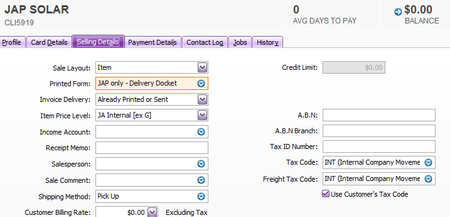
AR Desktop - Using a Recurring Transaction. Default tax code in Customer Card is set to "INT" and "Use Customer's Tax Code" When an item is changed it reverts back to the tax code in the item and not the customer card. Change the item and the tax code changes. It should stay as INT not GST. I tested after recording on the very next line. The tax code stays INT as expected. This issue appears to happen only before the Recurring Transaction is initially recorded.158Views0likes3CommentsRefresh doesn't work on Find Transaction Page
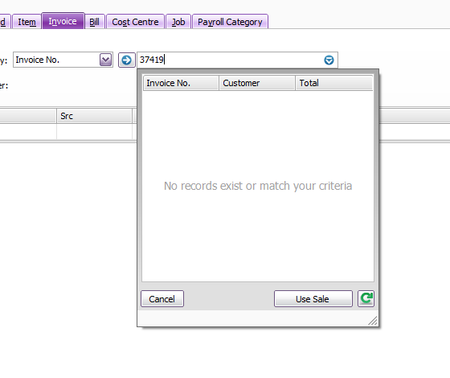
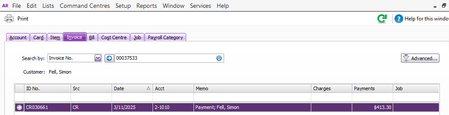
AR Plus Desktop If find transactions page is open in the background and the order is changed to an invoice, the refresh arrow doesn't work. Only way to get to work is open the dropdown next to invoice number and click the refresh button there. Then the other screen updates. Issue is that when clicking the refresh in the dropdown the invoice number is lost and has to be entered again. Can we please get this bug fixed?129Views0likes2CommentsItem Description Changes when using Recurring Transaction
AR Plus Desktop -Save a Recurring Transaction. Use this recurring to create a new Purchase. -Change from Bill to Order All the item lines change from the current description to the default description of the item. Can you please fix this bug? Original Recurring taken from. Open Recurring. Change Bill to Order - All lines change to the item description.137Views0likes2CommentsRefresh on PO Number (Find Transactions)
Can we fix this bug - AR Desktop Change Purchase Order (with backorder) to Bill and record. Click dropdown to right of PO#. Backorder is not listed. Green refresh (on Find Transactions page) is clicked, the dropdown is not refreshed. Green refresh (in PO dropdown) is clicked, this time it works but the original PO number is replaced with the first PO in the system. You then need to remember the original PO and re-type it. This is very frustrating and an obvious bug, surely not intended behaviour. Based on previous bugs not getting fixed I don't have a lot of faith for this one either, but can we get this looked at please?124Views0likes2CommentsRecurring for Sales - Address field changes back to default on customer card
AR Desktop We have recently moved from AR Enterprise to AR Plus. Have found that when using a sales recurring and changing from Invoice to Order (or Quote) the address field defaults back to the customer card. This is very frustrating as when using recurring transactions as a copy function all details need to stay the same. When doing the same thing using "Recurring Purchases" changing from Bill to Order, the address field stays the same as expected. This is very frustrating when you are trying to do a complete copy of the original but need to change from Invoice to Order or Quote.152Views2likes2Comments