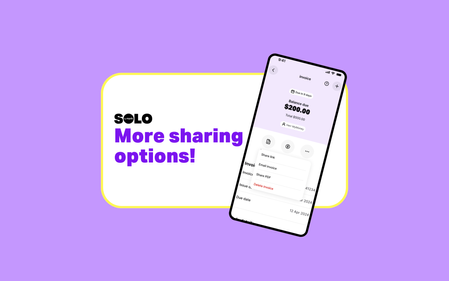
More ways to share your invoices!
Good news, Solmates! We heard you needed more options when sharing your invoices, so we made it happen! Now, when you share an invoice, you’ll see two new choices: Share link – Sends a short text with a shareable link to the invoice. Perfect for text messages, especially between iOS and Android. Share PDF – Creates a PDF straight away. Great if you want to download a copy or prefer sending the PDF itself. Best of both worlds 🙌 Just make sure you are on the latest version of the app! 😉 Earlier this year, we heard from our Solmates that sending a PDF via text using the “Share invoice” option wasn’t always working. Our dev wizards landed on a solution: instead of attaching a PDF, let’s send a short text with a link to the invoice. Easy peasy — no more failed texts, problem solved (or so we thought). We rolled out that solution and quickly learned that many of you really needed the PDF sharing option. As soon as we saw the impact, our product team sprang to action and, in record time, designed and released a solution that gives you both options. One extra callout worth sharing: emailing an invoice directly from the app using “Email invoice” hasn’t changed at all. That option still works the same way it always has and includes both the web view version and the PDF version of the invoice. At Solo, we always aim to get things right the first time — but sometimes it takes a second go. As luck would have it, our Solmates are absolute legends, and thanks to you, we were able to ship this update within three weeks… which, in dev time, is pretty speedy. As always, thanks for the feedback and ideas — we’re always listening 💜131Views1like0CommentsGST Just Got an Upgrade
Hi Solmates! A new Solo feature has just been released. Make sure you’re on the latest version to give the new feature a spin 🚀 You might’ve spotted a little teaser from us on the “Share Your Ideas” board about some shiny new updates to how Solmates manage GST settings in Solo. Well… the wait is over. We’ve been testing these new features with a small number of Solmates, and now we’re very excited to confirm it’s showtime! As of today (Monday 17 November), you’ll now be able to choose whether GST is included in your item price, or added on top. The old setup When we launched saved items earlier this year, they were limited to being entered as GST exclusive. What’s new and improved Now, you’ll be able to mix and match your item pricing as you prefer, and these prices will carry forward to the invoice and display using your Include GST/Add GST preference! Just a quick heads-up: invoices follow whatever GST preference you’ve set at the moment you create them. So if you jump into an invoice before updating your GST settings, you’ll need to adjust it yourself or start a new one once your preference is set. Come learn how it works Keep an eye out for a fresh post on our Learn board, it’s a full walkthrough with step-by-step examples, whether you’re brand-new to Solo (or GST!) or already rocking saved items. We also have our full Help articles available here.124Views0likes0CommentsRemove 'Ship To' in a Few Clicks!
No products to ship? Let’s ditch that “Ship To” section! You shouted it from the rooftops, and we made sure to listen! If shipping details have no place on your invoices, here’s how to make them disappear for good: 1️⃣ Head to More → Customers & Suppliers 2️⃣ Select the customer or supplier you want to edit 3️⃣ Tap the ✏️ in the top right corner to edit 4️⃣ Under Shipping Details, clear all address fields, including country! 5️⃣ Hit Save—boom, you’re done! Moving forward, new customers won’t have a “Ship To” field by default unless you add their shipping details. For existing ones, just follow these quick steps to tidy things up. Keep it coming! Got more ideas to make Solo even better? Drop them in Share Your Ideas | MYOB Community —we’re all ears, and your feedback helps shape what’s next! 🚀207Views3likes0Comments