🟣 CA FAQ — I have created a new period in AE/AO (MYOB Business file), why do I have an out-of-balance?
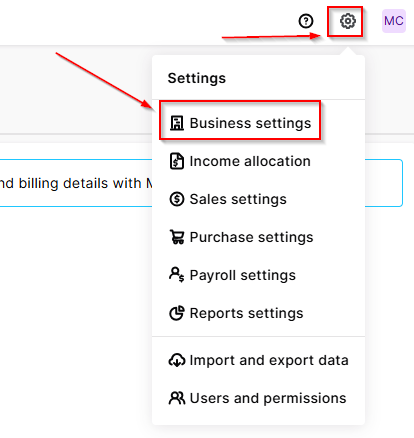
If you have a client in AE/AO configured to an MYOB Business file, you may notice that after creating a new workpaper period, there is an out-of-balance in the Balance sheet (even if you have chosen to roll forward in the Trial balance / Workpapers window). This is because Client Accounting does not automatically roll forward the underlying MYOB Business ledger — this will need to be done as a separate step in the file itself. To resolve this, open your browser and navigate to https://app.myob.com/ Open the relevant client file Navigate to Settings > Business settings > Financial year Select Start new financial year Jump back into AE/AO Open the current workpaper period Under the Tasks menu, select Refresh ledger balances This should resolve the out-of-balance, and you're good to go! ☑️ Scott Client Accounting MYOB167Views0likes0Comments