🟣 Update — Changes to AE/AO
If your practice uses Accountants Enterprise or Accountants Office, you may have heard the news that we are rolling out some changes to how AE/AO works on the back-end. 🛠️ Due to a background service reaching end-of-life and being decommissioned, these functions have been moved over to a new service. What does this mean for me? This will not affect how you use AE/AO in the day-to-day, however outdated versions of the software will no longer function correctly. You will need to ensure AE/AO has been updated to the latest version. For both our Australian and Kiwi customers, the latest version is 5.4.54. If you do need to update, this is available via https://my.myob.com.au (AU) or https://my.myob.co.nz (NZ). Please reach out to MYOB Support if you need assistance with installation. Note: this does not apply to customers using our legacy software such as AO Classic, or System Release. Scott Client Accounting MYOB224Views0likes0Comments🟣 CA FAQ — I've rolled over Reporter, where have my reports gone?
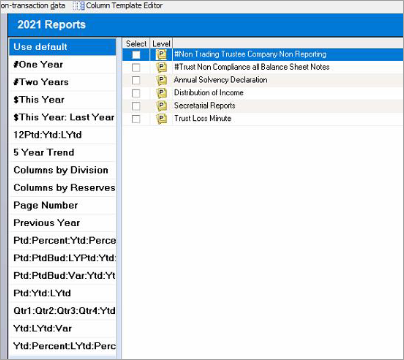
If you have rolled over a client in AE Reporter to the latest financial year, you may encounter a blank Reports list. 🔍🧐 Don't panic! This is because Reporter has been rolled over, but you haven't (yet) installed the master reports for that financial year. To resolve this, you'll need to update Reporter to the latest version: Head over to, and sign into https://www.my.myob.com.au/ (AU) or https://www.my.myob.co.nz/ (NZ) Hover over My Products, click Downloads Select MYOB Reporter MAS / MYOB Reporter Accounts (AU) or MYOB Reporter (NZ) from the drop-down Product list Download the latest update (as of writing, this would be 3.5.8 — AU or 3.5.5 — NZ) Run the update per the Install guide (AU / NZ) This will place down the latest master reports on to your system, and you're good to go! 🥳 You can read more about this here: Reports missing from AE Reporter 🟣 Bonus: Please ensure you are selecting the correct Install and Database file paths when running the installation. The setup wizard may not default to the correct locations. These are commonly the Tax or Sol64 folders (Install), and the S6Client folder (Database), but always double-check. Happy reporting! 📝 Scott Client Accounting MYOB216Views1like0Comments