MKDON's avatar
MKDON
Member
1 year ago
Status:
On Hold

Supplier Purchases Report - monthly single view

Wanting a report similar to the P&L that allows a view of each months spend with a particular supplier or suppliers. Currently the supplier purchases report can only generate a view within a specified date range, therefore I'm having to enter the date range of each month to generate the amount, manually record the value, then set the next months date range. 


I would suggest this view to be available for all types of reports.

6 Comments

  • Status changed:
    Open
    to
    On Hold

    We are changing this idea's status to On Hold due to low community engagement (comments and votes) over the last six months. The idea remains in our developer backlog, but it will be prioritised for review if it receives more votes.

  • AmandaMYOB's avatar
    AmandaMYOB
    MYOB Moderator
    1 year ago
    Status changed:
    Idea Already Exists
    to
    Open

    Hey MKDON

    I've set the status of your idea back to open, thanks for helping me understand! We'll leave this one open for other members of our community to vote and add weight to your idea. 

  • MKDON's avatar
    MKDON
    Member
    1 year ago

    That would be nice, but not required to have the full functionality of that button. I am only after the view of each separate month with the corresponding value. I have attached a screen shot circling what I am referring to.

    Yes please keep it open, assuming I am making myself understandable.


  • AmandaMYOB's avatar
    AmandaMYOB
    MYOB Moderator
    1 year ago

    Hey MKDON

    Are you referring to the "Compare to" tickbox that you can see when generating a profit & loss report? I've attached a screenshot here if that helps.

    If so, the compare to option isn't available for supplier reports at this point in time and even for the reports it is available on, you don't have the option to compare by month. Let me know if I've understood you correctly. I'm more than happy to update the status of this post to open for other users to vote and add weight to if so! 

  • MKDON's avatar
    MKDON
    Member
    1 year ago

    I am trying to compare values of the current month to previous months, but as a single view. Example I set the start date range from 01/05/2024 to 31/07/2024, therefore it should show a seperate value for May, June and July. Not as one total value. Hope this is clearer to understand now.

  • AmandaMYOB's avatar
    AmandaMYOB
    MYOB Moderator
    1 year ago
    Status changed:
    New
    to
    Idea Already Exists

    Hey MKDON

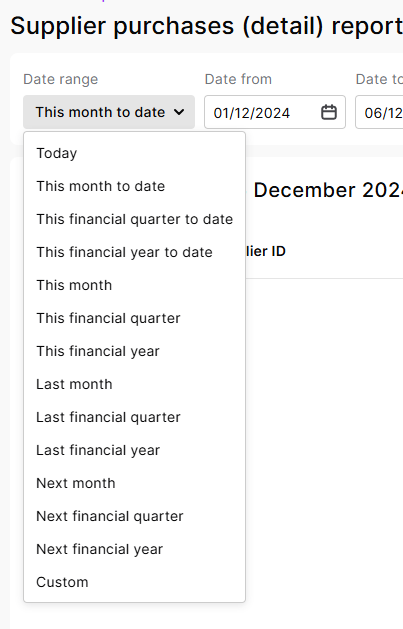
    MYOB Business already allows you to view a report for "This Month". In the Date Range field, you can select the drop-down menu and just select This Month, rather than having to manually adjust the specified date range. I've attached a screenshot, hope this helps.