Find answers, offer solutions, ask questions


Learn, solve, grow
Level up your skills and find answers across all MYOB products
Featured Places

MYOB Announcements
The latest news and happenings on the MYOB Community Forum.Featured Places

In Focus - Coming Soon
Learn how we test new features and how to get involved. Discover whats in progress, coming soon or recently closed for your preview into new features that might be coming to our software soon!Featured Places

Bank Feed Updates
MYOB will be using this board to provide updates about Bank Feeds. This includes when we are aware of any delays in feeds being sent to files.Incidents & Outages
Check for incidents & outages that may affect your software
Click here to view status page
Featured Content

Hi there,
The new Payday Super legislation will require employers to pay Superannuation Guarantee (SG) contributions at the same time as salary and wages from 1 July 2026. Contributions must re...
5.9KViews
5likes
60Comments
Featured Content
MYOB AccountRight version 2026.9 will be released on October 14th 2026.
AccountRight updates are typically made available around the middle of every month.
These updates include, new features, u...
15KViews
1like
0Comments

Continuing problems with MYOB
As a small book keeper I am still having problems with MYOB with 3 of my clients which includes a data file of my own. Client transferred and paid for 4 offline data files to come on line, 23.6.2026, still as of yesterday they have still not been migrated to the new account and we have had to upload 2026.4 to finalise 30th June, 2026 work. Another Client lodged a 'Change of Primary Contact' form on the 19/5/2026, MYOB say all is fixed, still cannot get onto my account,says I do not have authority to access and payments still have not gone through from our bank. Every month MYOB as changing a fee for non payment, yet not our fault. My account, had 2 data files in my name, one was transferred into a new owner supposedly however I notice my account has been transferred to the new owner and I no longer have the ability to change anything with my own account, which I have had since 2008. I note that I have not signed any documentation transferring my account into another name so how did they have authority to apply a new owner to my account? MYOB is becoming a joke, I think it is about time support comes back to Australia before more people move away due to poor service and continual time waiting on line to finally get someone who does not understand what you are talking about. Anyone else having problems like mentioned above.106Views0likes3Comments
Creating a new bill from tray
Hi. I am having trouble creating a new bill from invoice from the tray. It doesn't do anything, but when I refresh the tray the invoice is no longer there. I am getting around it by entering the invoice first, and then linking it to "existing document". Just reaching out to see if anyone else is having this issue.
Customer Sales (detail) report not showing description
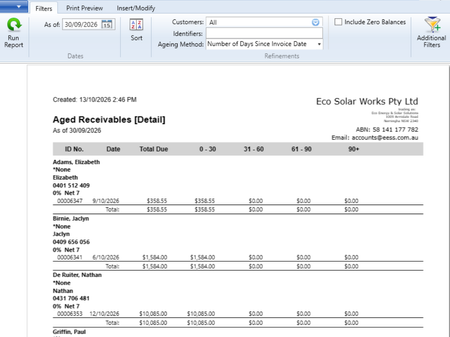
The current statement template does not include a description showing what an invoice has been issued for. I recently switched over from Account Right which had this feature. I shouldn't have to go through every invoice to let a client know what an invoice was issued for. I received this response and have posted a suggestion to the Business Product Ideas Board: "Unfortunately, the description value is taken from the Journal Memo of the transaction from the AccountRight desktop application. However, the MYOB Business does not have the Journal Memo field. Hence, it defaults to the prefill for an empty Journal Memo field (Sale; Customer Name). I recommend posting this as a suggestion to the Business Product Ideas Board for the developers to see." I have tried to get around it by printing a customer sales (detail) report, however the description field is blankI can't see any other work around. Does anyone know if there is something I can generate, instead of having to go through invoices manually? Many thanks. Many thanks.Solved979Views1like9Comments
MYOB Uploads Errors
What is going on with MYOB Uploads/In Tray at the moment. For the last 3 days I've had documents that simply don't upload, they just keep scanning and others that do Upload but MYOB doesn't recognise the information (supplier name, invoice number etc.) There are suppliers that I've been uploading for months/years and this problem has just started to happen. It's on both the desktop and browser version of Account Right and MYOB Business. Can someone from Tech Support have a look at this issue and resolve it. Please173Views2likes5CommentsUnable to open an employee's card file
Hi! I'm unable to open one of our employee's card file, error "Somethings gone wrong Accountright needs to close". Looking at previous support posts, it appears a script will need to be run on our file? Last 4 digits of company product serial number: 7799 Company File ID: 1 Thanks BecSolved19Views0likes1Comment
Merging company files
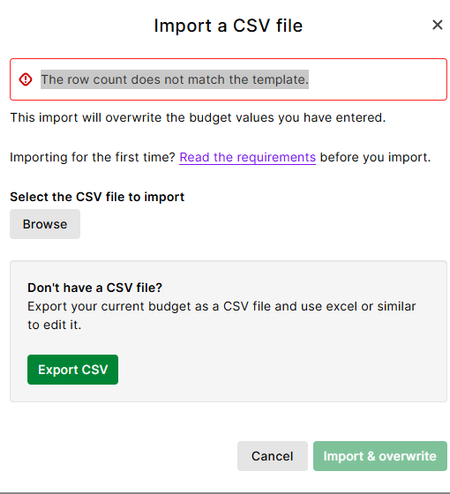
We are in the process of amalgamating two companies together in Account Right. I am able to use the import/export feature for most areas except for entering historical sales information. I can t use the preconversion setup as we had already used that when we started using Account Right in 2017. Does anyone have any advice about how I could do this?Import Error 5137
I'm trying to do a receive money import to a foreign currency bank account and keep getting this error. Below is a sample of the file. I've tried a number of different iterations. I created the template by exporting the transactions from the previous year. None of the columns I removed had any data in them. I've added the deposit account entry for the 2nd line and the tax code and tax amount for the 1st line trying to see what's missing but can't work it out. My AUD import for another account works fine.Update desktop Excel report format to xlsx
Desktop Excel reports export as xls files, a legacy format which is rightly being rejected in many users' environments due to security risks. Please update to the current xlsx format. I'm aware that this may affect the OfficeLink program itself as well as the dozens of templates, but really this change is long overdue. This was raised as an idea a year ago, but it was interpreted as a support issue and closed.
Document viewer for Uploads
Please make the document viewer for Uploads bigger. It currently takes up a quarter of the page and I have to zoom in to ready tiny numbers. Could the document viewer be made expandable or option for document to be openned in a new tab. Thanks Susan72Views2likes3Comments
Timesheets
Currently employees can only enter timesheet through the MYOB Team App but as some work from a desktop during the day it would be good if they could enter timesheets via the MYOB Browser. I tried but the only way they can is if they have full user access permissions to payroll. Not ideal.79Views2likes2CommentsTimesheet notes and dates to carry over into the payslip (i.e. annual leave dates, personal leave dates)
When entering employee hours into the timesheet section of MYOB, either via the app or the web, it has the option to enter notes. I would also be entering personal leave or annual leave hours on the actual date that this was taken. Once I have completed the entry of the timesheet hours and I go to process the pays, none of these notes have come across, nor do the dates of annual leave or personal leave. I then have to click into annual leave (arrow) and adjust the dates that the leave was taken, along with any applicable notes. Same for sick leave, click into the arrow, adjust the dates and make any annotations e.g. certificate provided etc. I have been told by MYOB support that this is not an option so I thought I would make the suggestion that this is written into future updates. Would love your support on this if you too think this would be good for improving workflows. Thanks68Views1like2Comments
Introducing a Forecasting Function in MYOB Business Pro
Dear MYOB Team, As a business owner and regular user of MYOB Business Pro, I’d like to suggest the addition of a forecasting feature within the platform. A forecasting function would provide significant value to small businesses by enabling us to: Project Future Revenue and Expenses: Having the ability to estimate income and costs based on historical data helps with planning and cash flow management. Set and Track Financial Goals: Forecasting supports more strategic decision-making, allowing businesses to set realistic targets and monitor progress. Prepare for Seasonal Fluctuations: Many businesses experience seasonal changes in demand. A forecasting tool would help us anticipate and plan for quieter or busier periods. Enhance Financial Reporting: Integrating forecasts with existing reports would provide a clearer picture of future financial health and support better conversations with stakeholders and advisors. Save Time and Reduce Errors: Automating forecasts based on actual MYOB data would save manual effort and minimize the risk of inaccuracies. Adding this function would make MYOB Business Pro even more powerful and user-friendly for business owners who want to grow and plan with confidence. Thank you for considering this suggestion! Kind regards,81Views1like5CommentsZeller Integration
Is an integration likely from Zeller to MYOB Business (similar to bank feeds). Given the number (and growth) of Australian Zeller users, I would have expected this was a very worthwhile development. If so, do you have an expected timeline? If not, is that based on a technical reason, or just no reciprocal interest in your respective customer bases? Thanks195Views2likes6Comments