When you’re happy that the information is correct, you can lodge your BAS. AccountRight has BASlink, a feature that helps you prepare and lodge your BAS.
There’s information on how to set up BASlink in our online help, and this support note.
Quick tip
Confirm the following with your accountant or MYOB consultant before setting up BASlink:
- when you report your BAS (quarterly or monthly),
- what you need to report (GST, PAYG instalments, FBT considerations), and
- whether you report Cash or Accruals (that’s basically whether you report GST to the ATO when you make a sale - Accrual, or when you actually get paid for the sale - Cash).
After you’ve set up BASlink, each time you need to complete a BAS, you can simply select the last month of your reporting period and click Prepare Statement.
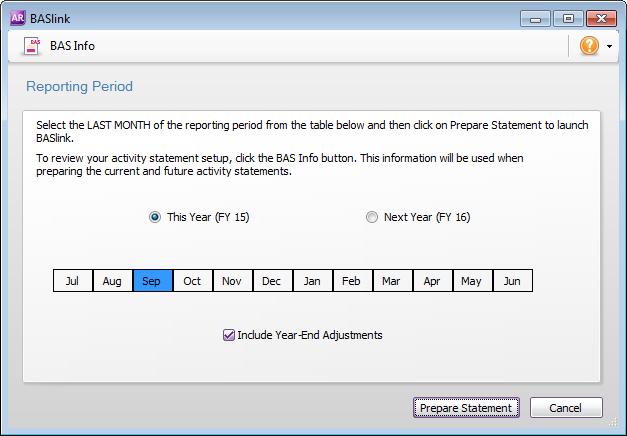
AccountRight will fill in the details of your BAS for that period.
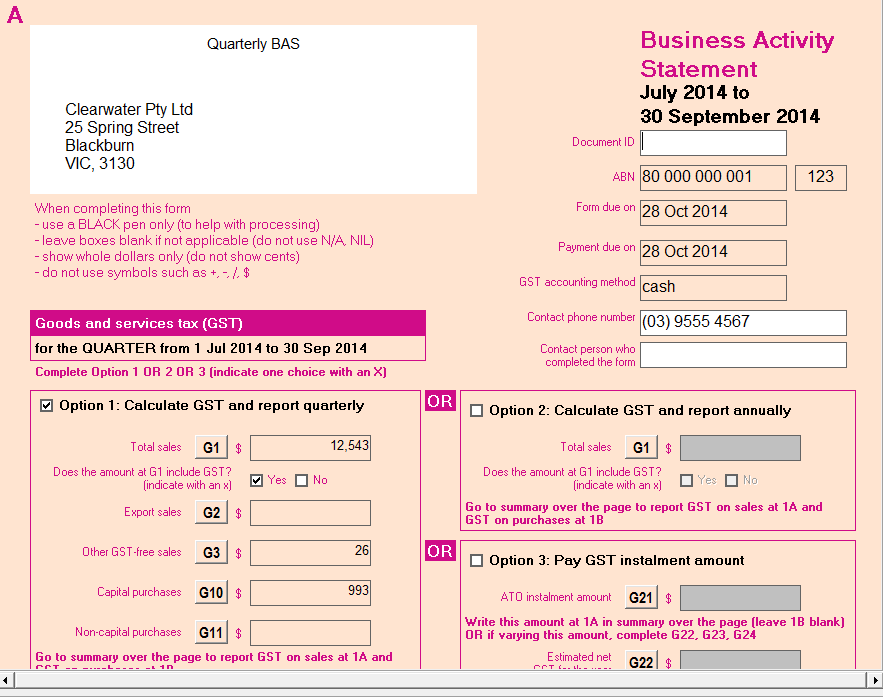
BASlink shows you everything you need to fill in on your BAS, making it really easy to lodge your return. You can find out more about how to lodge in the help.
The ATO gives you options to lodge your BAS electronically through the Business Portal. Lodging electronically may give you extra time to lodge and pay your BAS. Find out more on the ATO website.
Common GST mistakes in BAS reporting
If you can’t figure out where you’ve gone wrong with some BAS reporting, this blog post by Amanda Hoffman, founder of My Office Books and registered BAS agent may just sort you out.
