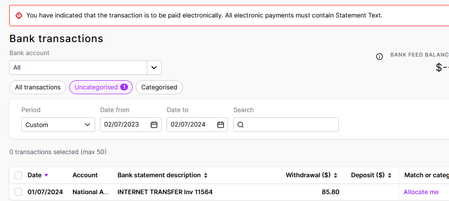
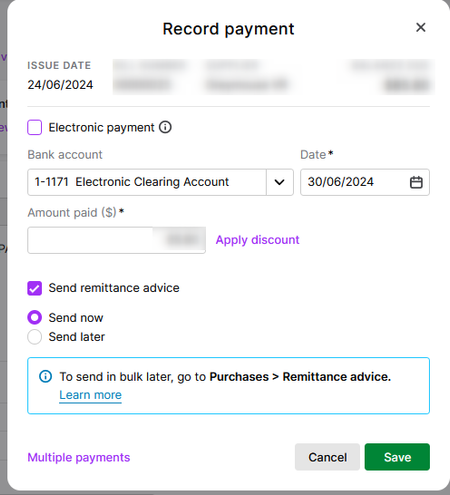
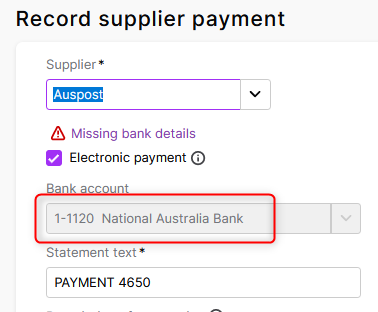
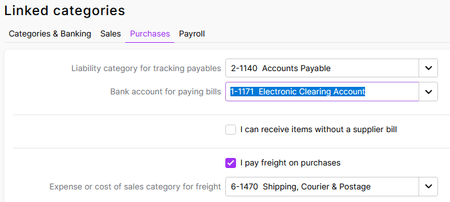
ContributionsMost RecentMost LikesSolutionsRe: Allocation of Super Bank Account Thank you Shella. I have sent a support ticket off. Allocation of Super Bank Account Hi. Last year we moved banks, so now we have a new account and new bank. All things I managed to find and have changed in MYOB, bank feed etc all good but I noticed with end of year things that although superannuation payments are taken from the new account they are allocated to the old, now closed account still. I cannot for the life of me find where to change this automatic allocation to the new bank account. Can someone please show me, how/where? Thank you. :) Re: Using Bills That doesn't resolve the issue. Transaction came in via bank feed (unallocated) tried to match with the transaction entry shown. It said about electronic payment again so I went to bills and selected payment there (not electronic), upon checking unallocated bank feed transactions it still remains there but no longer the entry to match the transaction. Think I have wasted enough time on this function, I will go back to manually doing in and continue to set reminders in Outlook for when payment is due, this feature is useless it seems unless it is set up to pay via MYOB. Re: Using Bills So I guess my question is. If the invoice is paid by direct debit and the transaction takes a few days to come in with the bank feed is by processing as per image going to apply this to the back feed transaction? Or will we see it still see it in the bank feed unallocated? We don't have any bills due for a few weeks to check. Re: Using Bills So you are saying if I change it here like this it resolves my issue? Will is impact on any other area? I don't want to break something that may affect another area is why I ask. Re: Using Bills Ok, I have created a "fake" bill to test. Only issue is we have 2 bank accounts, one no longer used. Seems when I select record supplier payment the correct bank comes up by default (with the error) and when I uncheck electronic payment it defaults back to an old account no longer used and we cannot apply to the current bank. If I select the correct account it goes back to wrong account and around in circles we go and I cannot find anywhere to correct this where it allows me to use the correct account AND be able to uncheck the electronic payment. Re: Using Bills Pointless as it obviously does not function without setting up electronic payments via MYOB and we don't require this not do we wish to pay yet more unnecessary fees. All I want to able to do is use bills to see on the dashboard what is upcoming, either by direct debit of due to be paid manually, and also run Bills reports which it seems is not an option. Re: Using Bills It would appear that unlike the "old" way Bills could be used you cannot use in the same way as it seems it is indeed electronic and is something that paid via a file through MYOB. I recall prior to the change a few years ago, it was a simple matter of upload to invoice to Bills section which kept track of all outstanding then when the bank feed with the payment it was simply matched. So I am thinking since the change this ability is no longer available. Seems I have wasted many hours trying to figure something out that doesn't function for us. Will just continue the stupid way and create a reminder in Outlook for those Bills that need to be paid manually unlike the Bills we have direct debit in place as payment. Bigger fish to fry as usual at EOM and EOFY as we have the normal MYOB problem with MYOB online customer payments not showing yet again. Re: Using Bills Ok, thanks Earl, I will have a look tomorrow morning and see. I will admit as we don't have electronic payments (outbound) this is about the only place I've not invested. Cheers. Re: Using Bills Plus the only purchase settings I can find....