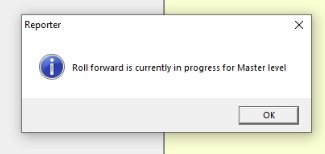
CA FAQ - Error: Roll forward is currently in progress when try to rollover AE reporter
"Just rolled AE Reporter into the new financial year? You might get hit with this classic: 'Roll Forward is currently in progress for... level.' Don’t panic — it just means the system thinks someone’s already mid-rollover at one of the Reporter levels. AE’s basically saying, ‘Hold up, I’m not done yet!’" In MYOB Accountants Enterprise (AE) Reporter, you may experience one or more of the following errors: Roll forward is currently in progress at Master level. Roll forward is currently in progress at Practice level. Roll forward is currently in progress for <ClientCode>. These errors occur if the system identifies that a rollover at any of the Reporter levels is in progress. This is indicated by the existence of lock files in the Reporter folders. Lock files have the extension .ldb, .lcr, .rlcr, .lck, or .rlck (for example, Company.rlck). To successfully open Reporter, simply delete the lock files for the Reporter level where the error occurs. Location of the reporter folders as below: Roll forward is currently in progress at Master level If you're using ... Navigate to ..... AE Accounts M:\MYOB\bin\Reporter\Master AE MAS M:\SOL64\Reporter\Master or M:\MYOBAE\AESQL\TAX\Reporter\Master MAS with MYOB AO M:\MYOBAO\AOSQL\Tax\Reporter\Master for example where M:\ is the installed location of your software Roll forward is currently in progress at Practice level If you're using ... Navigate to ..... AE Accounts S:\Data\MYOB AE MAS M:\SOL64\Reporter\Modified or M:\MYOBAE\AESQL\TAX\Reporter\Modified MAS with MYOB AO M:\MYOBAO\AOSQL\TAX\Reporter\Modified for example where M:\ is the installed location of your software and S:\ is the database location of your software. Roll forward is currently in progress for <Client> If you're using ... Navigate to ..... AE Accounts S:\Data\MYOB\ AE MAS S:\S6CLIENT\<ClientCode> or M:\MYOBAE\AESQL\S6CLIENT<ClientCode> MAS with MYOB AO M:\MYOBAO\AOSQL\S6CLIENT\<ClientCode> for example where S:\ or M:\ is the database location of your software. You can read more about this here: Error: "Roll forward is currently in progress..." Happy Reporting! Sandy Client Accounting MYOB98Views0likes0Comments🟣 CA FAQ — I've rolled over Reporter, where have my reports gone?
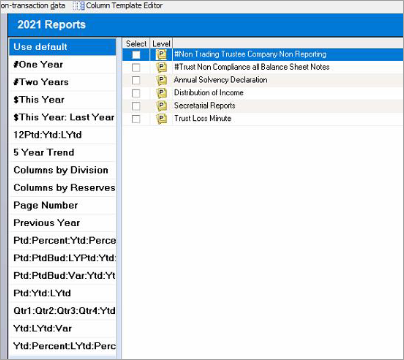
If you have rolled over a client in AE Reporter to the latest financial year, you may encounter a blank Reports list. 🔍🧐 Don't panic! This is because Reporter has been rolled over, but you haven't (yet) installed the master reports for that financial year. To resolve this, you'll need to update Reporter to the latest version: Head over to, and sign into https://www.my.myob.com.au/ (AU) or https://www.my.myob.co.nz/ (NZ) Hover over My Products, click Downloads Select MYOB Reporter MAS / MYOB Reporter Accounts (AU) or MYOB Reporter (NZ) from the drop-down Product list Download the latest update (as of writing, this would be 3.5.8 — AU or 3.5.5 — NZ) Run the update per the Install guide (AU / NZ) This will place down the latest master reports on to your system, and you're good to go! 🥳 You can read more about this here: Reports missing from AE Reporter 🟣 Bonus: Please ensure you are selecting the correct Install and Database file paths when running the installation. The setup wizard may not default to the correct locations. These are commonly the Tax or Sol64 folders (Install), and the S6Client folder (Database), but always double-check. Happy reporting! 📝 Scott Client Accounting MYOB130Views1like0Comments