Removing spouse details
Hi everyone How to remove the spouse details from the tax return in MYOB tax? the client does not have his spouse anymore but her details are still existing from the previous year. I checked the delete schedules but there is no schedule for spouse details there. So how do you remove her please... ThanksSolved900Views0likes1Comment
Other Income Category 4 Tax Return Error
Hello, we are receiving an error on a tax return in relation to "Other Category 4 income is incomplete". IITR.730295 is the reference. The only income in this category is coming from the Distributions Received from Managed Funds area (from Pre-fill information). There are no incomplete lines. The return was completing prior, but now it is not, even though this Other Income item has not change. Has anyone had this issue? ThanksSolved799Views0likes3CommentsGuide: Troubleshooting and Fixing Tax Error Messages (DESKTOP + ONLINE)
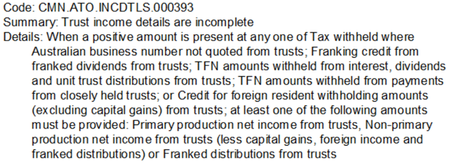
Hey everyone! Here to share some resources that will help you troubleshoot and fix errors in MYOB Practice tax online or MYOB AE/AO desktop. Using MYOB Practice Online Tax A validation error begins with the error code: CMN.ATO Check out this page for a list of validation errors that have been reported to us. We’ve organised it by the type of return you are trying to validate so you’ll be able to easily find your error code and what to do next. An authentication error begins with the error code: CMN.ATO.AUTH A list of authentication error codes and the relevant fixes can be found on this page. If you encounter a Status Code 400 error message when trying to do a return online, check out this post for a fix. Using MYOB AE/AO Desktop Click on the error code you are experiencing for next steps. An authentication error, begins with the error code: CMN.ATO.AUTH A general PLS error, will begin with the error code: CMN.ATO.GEN Activity statement errors will begin with the error code: CMN.ATO.AS Individual return (income details schedule) errors begin with CMN.ATO.INCDTLS Individual return errors begin with CMN.ATO.IITR Interposed Entity Election (IEE) errors begin with CMN.ATO.IEE Self Managed Super Fund (SMSF) errors begin with CMN.ATO.SMSFAR All return types errors begin with CMN.ATO.XML03 or CMN.ATO.XML04 Feel free to reach out or make another post if you have any further questions!599Views0likes0CommentsAustralia Tax 2025 Known Issues
Hey everyone! As the new financial year is upon us, we've published a page with known issues that have been raised and any potential workarounds and fixes. Click on the product you're using below for more information! AE/AO Desktop MYOB Practice Compliance online We will continue to update the pages throughout the 2025 financial year. Click the bell icon on the top right to stay up to date and as always, feel free to reach out if you have any questions!500Views0likes1Comment
Great News! Extended Hours for EOFY Support!
Hey everyone, We know the End of Financial Year (EOFY) can be a busy time, and we want to make sure you have all the support you need! For those who might not have heard, we've extended our opening hours to give you even more flexibility during this period. That's right, we're open longer to help you with any last-minute queries, support requests, or assistance with installation of the new 2025.0 update! From the 28th of June to the 20th of July we are open Mon-Sun. Please see below for our contact hours for phone and chat during these dates: Phone: Mon-Friday 9am-5pm Sat-Sun 9am-5pm Chat: Mon-Friday 9am-7pm Sat-Sun 9am-5pm You can find all our updated contact details and extended hours on our Contact Us page or you can access our new chat bot MOCA via MYOB Practice or now from within AE/AO with the new 2025.0 update! Please visit this page on how to chat with us via MYOB Practice. Wishing you a smooth and successful EOFY! Cheers, Aiden from MYOB400Views2likes4Comments
tax return showing as rejected but lodged with ATO
we have had a couple of individual returns lodged and they show as being rejected with error CMN.ATO.IITR.EM0053 - Car Expenses - Total business kilometers (cents per km method only) allowable has been exceeded The returns are showing as lodged on the ATO portal and neither return has exceeded the motor vehicle claim amount. Just wondering if there is any known fix for this or will we just wait for 2024 tax rolloutSolved400Views0likes2CommentsAustralian Tax FAQ's (DESKTOP + ONLINE)
Hello everyone! We've collated a list of frequently asked questions users have posted on the Forum for your convenience. Check them out below! GENERAL What do I need to do before starting a new tax year? (DESKTOP) Where can I view the tax tables and thresholds for 2025? (DESKTOP + ONLINE) Is there a guide to using online MYOB Practice? (ONLINE) How do I reschedule agent reports for the new year? (DESKTOP) SOFTWARE/INSTALLS Where do I find the 2025 installation guide? (DESKTOP) How do I know what changes were done in the latest update? (DESKTOP) How do I backup my practice software? (DESKTOP) How do I get the latest version? (DESKTOP) Can I update to the latest version on Windows 10? (DESKTOP) Is there a guide I can follow to complete a workstation installation of AE? Is there a guide I can follow to complete a workstation installation of AO? TAX RETURNS Can I move from AO to online and roll over my returns from desktop? (ONLINE) How do I make sure depreciation assets roll over from desktop to online return? (ONLINE) How do I make sure I'm getting activity statements sent to clients for review using the portal? (ONLINE) How do I prepare a tax return from MYOB Practice? (ONLINE) How do I exclude tax returns from rolling over to the next year? (DESKTOP) Getting a blank screen when trying to do tax returns, how do I fix this? (DESKTOP) What can I expect to see if I pre-fill a tax return? (DESKTOP) TROUBLESHOOTING ERROR MESSAGES I'm getting tax validation/authentication errors, how do I know what to fix? (DESKTOP + ONLINE) How do I fix a Status Code 400 error when trying to do returns online? (ONLINE) How do I fix SQL server does not exist or access denied' error when opening MYOB. (DESKTOP) How do I fix 'machine name not unique' error when opening Tax? (DESKTOP) How do I fix foreign income tax offset not calculating properly in a trust return? (DESKTOP) How do I fix a tax return stuck on 'transmitting' in the lodgment manager? (DESKTOP) I've just done my tax upgrade and now when I try to run an estimate, nothings happening. How do I fix this? (DESKTOP) I'm running into an error installing AE/AO, how do I know what to fix? (DESKTOP) Can someone please give me a list of any known issues for the 2025 financial year? (DESKTOP + ONLINE)396Views1like0CommentsGuide: Workstation Installation for Accountants Office
Hello everyone. We've published a quick guide to completing a workstation installation for Accountants Enterprise on your workstation. These instructions apply to the following products: AO Tax (NZ) AO Practice Manager (NZ) AO Practice Manager (AU) AO Workpapers (AU) AO Statutory Reporter (AU) AO Tax (AU) If you've installed MYOB Accountants Office (AO) on a client server or peer-to-peer network you'll need to run a workstation installation to allow the workstations on your network access to the latest MYOB AO. Before you begin: Make sure you're logged onto the workstation as an administrator. Disable User Account Control for the duration of the install. If you change settings, make sure to reboot the workstation prior to continuing. Enable linked connections - make sure to reboot the workstation after applying this setting. Ensure any anti-virus programs have been disabled that may be operating on the workstation. To run a workstation installation for Accountants Office (AO): Open Windows Explorer and navigate to: \\servername\MYOBAO\AOSQL\WorkstationInstall, where: servername is the name of the server or computer on which you performed the server installation. Double-click on setup.exe. The Licence Agreement window appears. Follow the prompts to continue installation. Click Finish. The workstation installation is complete302Views0likes3Comments