Forum Discussion


Lynch
2 years agoExperienced Cover User
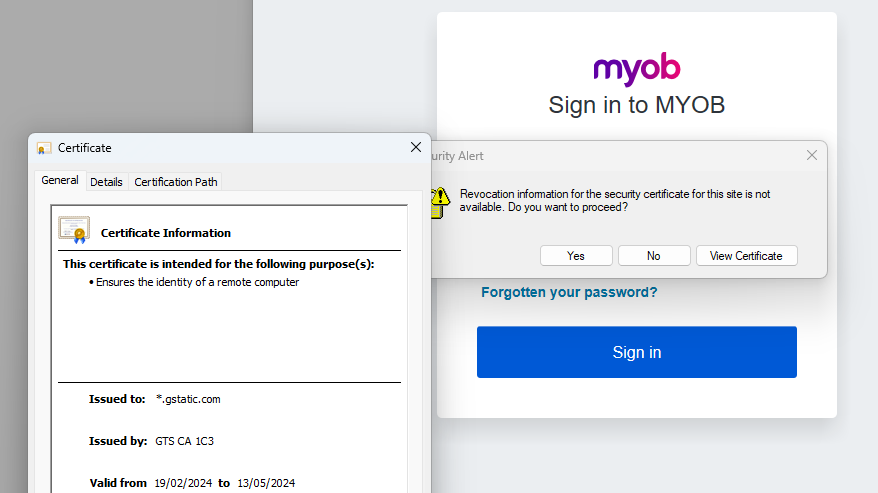
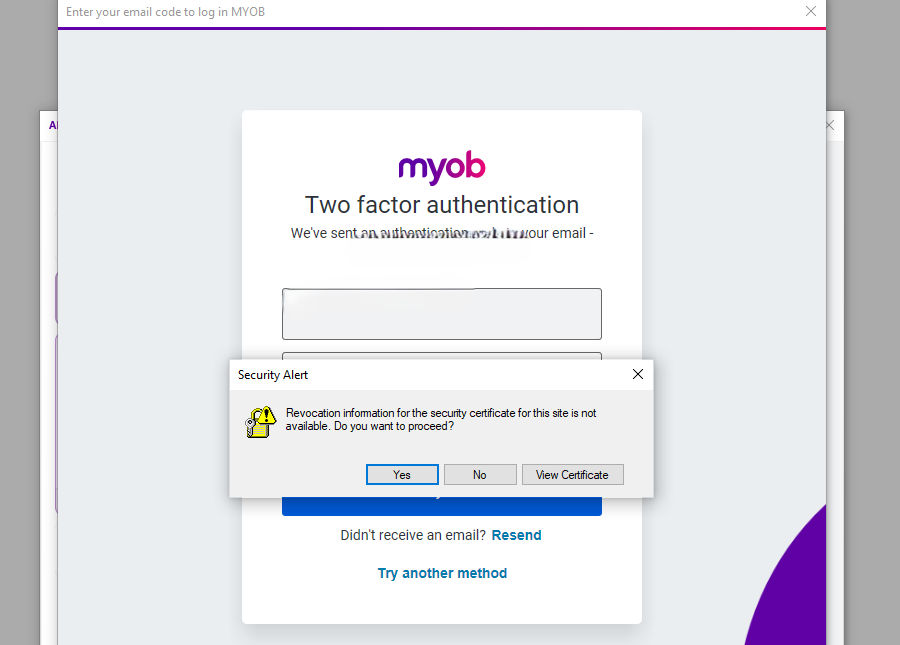
I'm having the same issue in the last week or so when I try to log in. I'm getting a security alert. The only work around is to say yes to proceed in order to allow log in. I've had numerous issues trying to log into since the last patch.

Doreen_P
2 years agoMYOB Moderator
Hi Lynch,
I'm afraid the security alert you received is not caused by MYOB instead, it is an issue blocking the client computer from downloading and installing the new certificate. No worries - , I'll be more than happy to assist you in resolving your concern about security alert. Please follow the steps provided below to correct the situation:
To install the certificate:
- Download the required root certificate. https://symantec.tbs-certificats.com/vsign-universal-root.cer
- Double click the downloaded .cer file.
- Click Open.
- Click Install Certificate.
- Select Local Machine and click Next.
- Select Place all certificates in the following store.
- Click Browse.
- Select Trusted Root Certification Authorities and click OK.
- Click Next.
- Click Finish.
- You can now open AccountRight Live and login as normal.
Feel free to post again anytime if you require further assistance.
If my response has answered your inquiry, please click "Accept as Solution" to assist other users in finding this information.
Best regards,
Doreen
- Lynch2 years agoExperienced Cover User
Hi Doreen_P
I've clicked on the link provided and have got a "Warning: Potential Security Risk Ahead" message.
 Genreve_S2 years agoMYOB Moderator
Hi Lynch,
Thanks for getting back to us!
Even though the message might seem a bit alarming, I want to assure you that the link is completely safe, and you can proceed without any worries. However, if you still have concerns about the link's security, I'd suggest looking for alternative sources for the certificates. It's important to note that these certificates are not from MYOB. Since this seems to be more of a computer-related issue rather than something specific to MYOB, I recommend discussing it with your IT Personnel for further guidance and reassurance.
In the meantime, feel free to create a new thread if you require any other assistance.
If my response has answered your inquiry, please click "Accept as Solution" to assist other users find this information.
Thanks,
Genreve STS12 years agoMember
Did you ever manage to fix this issue? I am having the same issue now.
- Isaiah_C2 years agoMYOB Moderator
Hi STS1,
You can try the steps provided by our moderators; they're designed to help resolve the issue. If you need further assistance, our live chat agents are available through our virtual assistant MOCA or you can submit a support case via MyAccount.
Regards,
Sai

Looking for something else?
Search the Community Forum for answers or find your topic and get the conversation started!
Learn, solve, grow
Level up your skills and find answers across all MYOB products