
Calculate Sales Tax on query
- 2 months ago
Hi alisonMackay,
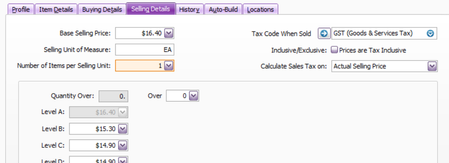
I can see why checking these one by one would become a bit of a GST scavenger hunt. There isn’t a standard AccountRight report that lists each item’s Calculate Sales Tax On setting. A practical workaround is to export your item list and include the Sales Tax Calc. Method field:
- Open File > Import/Export Assistant.
- Choose Export data, then select Items.
- In the field selection step, include Sales Tax Calc. Method. Using Add All is the easiest way to make sure it’s included.
- Export the file and open it in Excel.
- Filter the Sales Tax Calc. Method column to find items that aren’t set to calculate from the actual selling price.
For the exported values, 0 means Actual Selling Price, while 5 means Level B. You can then update the affected items in their Selling details and select the correct Calculate Sales Tax On option. Make a backup before making bulk changes, and test a small group first if you plan to update the items by import.
This guide explains how to open an exported AccountRight file in Excel: Opening an export file in Excel. If you need further help, you can reach out to our support team via the Contact Us page so they can take a closer look.
Cheers,
Doreen


