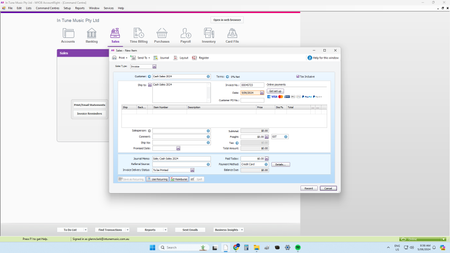
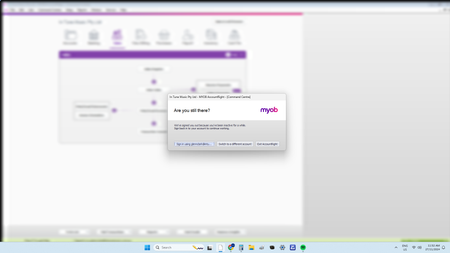
ContributionsMost RecentMost LikesSolutionsRe: Invoices printing out 2 pages 100% no option to change how many pages to print Re: Invoices printing out 2 pages Yep, just had this too ...... Following to learn how to disable Re: Inactivity Time Out Hello Mike_MYOB We were prompted for password. AR logged back in then we got the error message Re: Inactivity Time Out First Inactive today and a Crash right after Re: Inactivity Time Out I also really hope this isn't a way to lower MYOB Bandwidth usage by kicking inactive users. The amount of spinning blue wheels of death we have to wait through every day is rage inducing. Inactivity Time Out Just registering my complaint for this. I understand that this is for ATO compliance. This is making it harder to use your product and making it easier to move to another platform. https://www.myob.com/au/support/login-and-2fa/security-improvements/inactivity-sign-out Re: Annoying mannual login required every day But wait its going to gets worse..... https://www.myob.com/au/support/login-and-2fa/security-improvements/inactivity-sign-out Re: MYOB "Window" Bug Thank You MYOB "Window" Bug MYOB newest feature since last patch ........ MYOB Windows change to "Cascade" when I start MYOB every morning even though preferences are set to save window location. In "Cascade" you can't access the Menu Buttons (File, Edit List Etc....) which is needed while in invoices or going back and forth. So every morning I have to go to preferences -> Windows -> uncheck "save window locations and size" (Pic 3) close MYOB, restart MYOB go back into preferences and recheck "save window locations and size" Sometimes multiple times for this to actually save. Whinge over, have a lovely day. How I have it saved Preferences Screen Re: Exporting Customer Card Files Hi Mike_James Thanks for the response. I don't currently have an excel subscription, I am using Google sheets. Is there an add on for Google Sheets? I should be able to export Customer Contacts (name, phone & email) repeatedly directly from this software without any 3rd party software or help. This is basic simple functionality. The ability for the MYOB to do this is there (Export Assistant) It just needs to be extended to actual reports.....