Simple Report To Show Cash Status
Can we add the following report type to MYOB Business Pro: Combine the following: 1) Unpaid invoices 2) Unpaid bills 3) Future recurring transactions And sorts all this simply (each row is a single transaction) and exports in a CSV format, ordered by Due Date? See attachment for possible output156Views0likes3Comments
Automatic scheduled reports
I had an idea that it would be good if I could get a report emailed to me once a week with a list of outstanding invoices. I tried asking Ai how to do this and the answer involved getting a MYOB developer account (which seems to be at least $110pm). This cost is certainly not worth it. Would it be possible to add this as a function in the reports section?95Views0likes1Comment
Item Sales Reports
Required field NOT available in AVAILABLE COLUMNS When preparing an ITEM SALES REPORT you cannot add the field that takes the "Description" from the actual invoice. The ITEM Description is available bit often this is edited or enhanced on the actual invoice. To work around this I have to export all the item sales into an external database which is extremely cumbersome. It would also be good if you were able to have self taylored groups of reports in CUSTOM REPORTS Cheers Geoff Young NB Attached report created in MS access242Views4likes6Comments
Customizable Reports
MYOB need to make reports more customizable as the ones they currently have are very basic & time consuming. We used to use Reckon accounts and the flexibility of their reports were awesome. We had certain reports that you could just setup and they would automatically update when you opened them, none of this having to manually change date ranges etc. Saved a lot of time and frustration.131Views0likes2Comments
MYOB generated Unpaid invoice summary emails
It would be great if the title of the system-generated email in respect of the above which MYOB sends out could be edited the same as the reminder email titles can be. At the moment they are sent out with the subject line "Your new statement from... *Company name*" which leads to me receiving replies from customers asking why they have been sent a link (which doesn't always work for them) and not a .pdf copy of their statement. The unpaid invoice summary is a great initiative but the title the email is being sent under is confusing and I for one would appreciate being able to change it. Have a happy day! Heather157Views2likes2CommentsOpening Inventory Report vs Print Preview
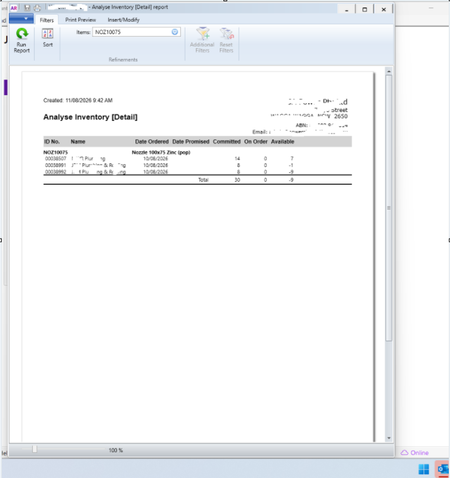
Why can't Print Preview open larger like the Inventory report? ie click "Committed" in Inventory item in AR Desktop the report opens top to bottom of screen But the print preview opens smaller. Can this be made to open the same as the inventory report? It would mean I wouldn't have to re-size to see contents of the print preview every time I preview
Additional Filter categories for Reports
The Fields options really needs to be expanded if possible as it greatly restricts the flexibility of custom reports. eg. I would like to add the Terms as a heading in my Accounts recievable and Payable reports as some companies have 7, 21 days etc or for receivables this would be a simple way of ensuring customers have the correct terms in their card files and can be easily monitored each month as new customers are loaded in the system. With the amount of data that MYOB holds its reports system is quite inflexible really?204Views1like4Comments