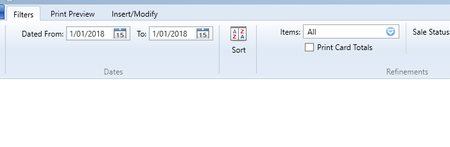
Default date is 2018


Hi nuggetsnoodles , Jill10 , I would suggest clearing the cache for your browser. Cache's store old data, and occasionally need clearing out.
See How to clear cache in Firefox, Chrome, Opera, Safari, and Edge | Digital Trends for procedures.
Then restart the browser and log in again. Post the result here.

Hi Mike,
I can try this, thanks. I'm not using MYOB through a browser? it's the desktop version.

Hi there Jill10,
You can clear your AccountRight cache by checking this link. If you still encounter any issues after clearing cache, make sure to reach out to our support team directly. You can reach them on Live Chat via our virtual assistant, MOCA, or by submitting a support case via MyAccount.
Best regards,
Doreen

Hi Jill10,
Got it. Since you've already reopened the files and it's still stuck on 2022, compiling your other issues and submitting them to MyAccount for checking is a good next step. This will help ensure all your concerns are addressed together.
Best regards,
Shella
Hi Jill10 , in that case clear the AccountRight cache, see https://community.myob.com/discussions/accounting_software_general/clearing-the-accountright-cache/592973
Search the Community Forum for answers or find your topic and get the conversation started!
Level up your skills and find answers across all MYOB products


