
General Ledger Report-
 1 month ago
Hi Grvkhadka,
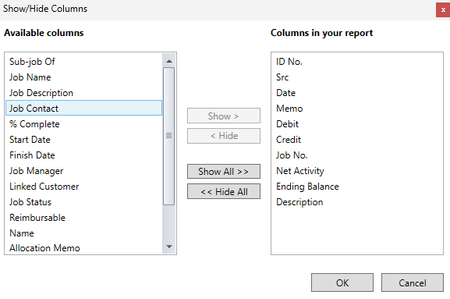
I can see how having those invoice numbers can make the report more useful. The General Ledger [Detail] report includes the ID No. column. For sales transactions, this shows the AccountRight invoice number. For purchase transactions, it shows the AccountRight bill or purchase number.
To include it, customise the report and select ID No under Show/Hide. This lets you identify the invoice or bill linked to each General Ledger entry.
If you need the supplier’s own invoice number, that is a separate Supplier Inv No. field on the bill and isn’t available as a column in this report. Use the Purchases [Supplier Detail] report instead, then add Supplier Inv No under Show/Hide.
For more information:
https://www.myob.com/au/support/myob-business/reporting/purchases-reports
Regards,
Genreve


