Hubertien
4 years agoExperienced User
Approving Bank Feeds with one payment for 2 items
Hello Community,
I feel like a dummy on this.
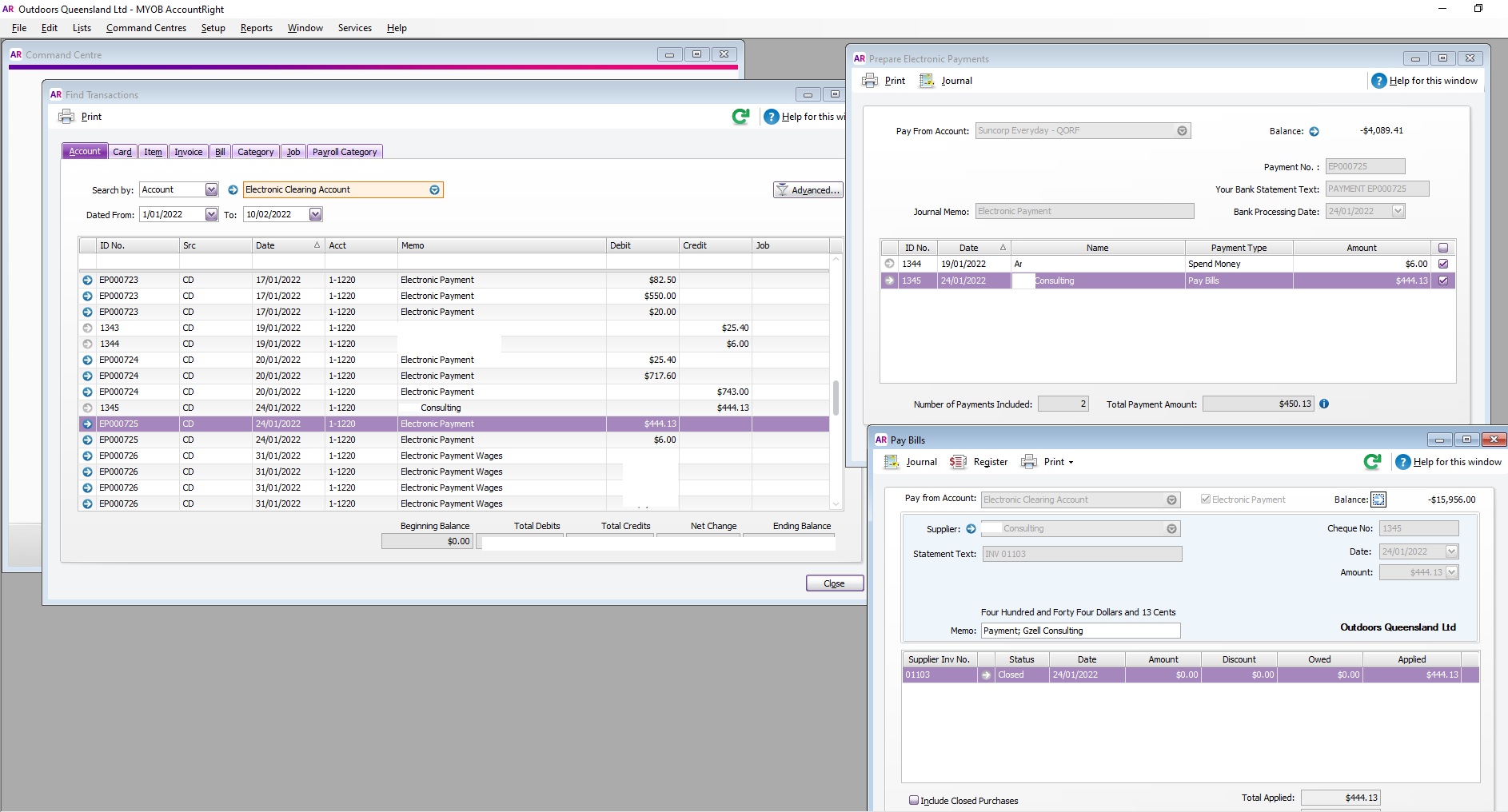
Not sure why but my bank feed is displaying a payment amount of $450.13 which actually comprises 2 individual payments, $6 and $444.13. See screens...
- 4 years ago
Hi Hubertien
Thanks for those screenshots, You can delete the electronic payment which will put the Pay Bills transactions back in the Prepare electronic payments window. Then reprocess the electronic payment, select the correct bank account and tick both transactions so that they appear as one lump sum for matching with the bank feed. As payment has been made you don't need to save the bank file or upload to your bank.
Please let me know if you need further help.
If my response has answered your enquiry please click "Accept as Solution" to assist other users find this information.