Forum Discussion

Parkflyer's avatar
Parkflyer
Member
4 years ago
Solved

Customising Invoices

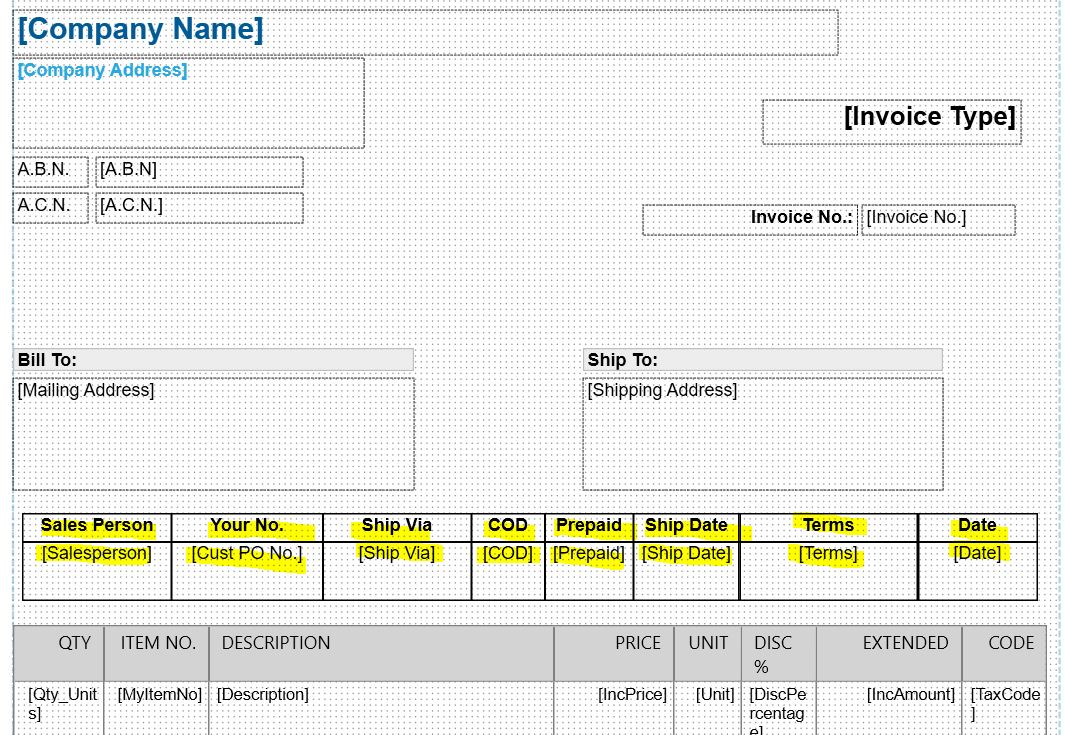
How do you create the Text Fields with the solid borders as per the attachment please?

  • Freman's avatar
    Freman
    4 years ago

    Its the last button on the right in the Field Properties area.  In your picture it's greyed, but should become available when you click once on the field you want to have an outline around.

4 Replies

Replies have been turned off for this discussion
  • Parkflyer's avatar
    Parkflyer
    Member
    4 years ago

    Hi Freman,


    I can't see this option with my version of MYOB.

    I have attached an image of the ribbon options I have - cheers

  • Freman's avatar
    Freman
    Trusted Partner
    4 years ago

    Its the last button on the right in the Field Properties area.  In your picture it's greyed, but should become available when you click once on the field you want to have an outline around.

  • Freman's avatar
    Freman
    Trusted Partner
    4 years ago

    In the tools ribbon while customising the invoice > 'Field Properties' then 'Field Outline' button.

Looking for something else?

Search the Community Forum for answers or find your topic and get the conversation started!

Community home

Level up your skills using MYOB software.


Find help guides and technical solutions for all MYOB products here

Explore video tutorials for our software at the MYOB Academy here


Dig into MYOB Academy for free courses, learning paths and live events to help build your business with MYOB.