Forum Discussion


SimoneABC
2 years agoContributing User
I understand what you have said.
The issue is because the stock is not yet received, I cannot change the order to a Bill.
If I was to do that, it would put the inventory into stock.
It remains as an Order. However the Order is fully paid for.
The original order was for 3,000 units, which have been paid for.
They cannot supply the full amount and will only supply 2,588, therefore have issued us a refund.
How do I process this refund, against an order, when the stock has not yet arrived? Therefore I cannot change it to a Bill.

Genreve_S
2 years agoMYOB Moderator
Hi SimoneABC,
Thanks for the response.
In my understanding, when the purchase order was converted into a bill the full amount of the purchase order was used. If this is the case, we will need to create the debit by creating a bill with negative values (amount of the refund). After that, we could go to the Purchase > Purchase register > Returns & Debits tab window and refund the amount.
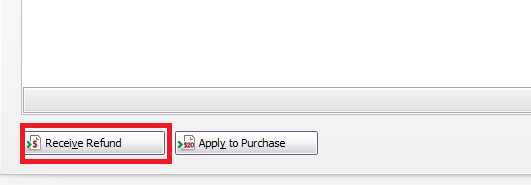
Let us know if you still need help following this. We're happy to assist.
Cheers,
Genreve
- SimoneABC2 years agoContributing User
Genereve,
The purchase order has NOT been converted into a Bill.
The stock has not been received, the Order has not been changed to a Bill.
It is still a Purchase Order and I need to receive a refund against it.
The Purchase Order has been paid in full.
Let me explain again......
Purchase Order - 3,000 units - stock not yet received, still as an Order, fully paid
- Supplier can only provide 2,588 units - monetary refund received to our bank account for the difference.
- How do I receive this refund against the PURCHASE ORDER, which has NOT been changed to a Bill?
- Genreve_S2 years agoMYOB Moderator
Hi SimoneABC,
Thanks for clarifying the concern.
Unfortunately, you won't be able to record a refund from inside an existing purchase order. The app does not allow recording any negative payment from any of the purchase transactions. The only option we have in recording the refund is by creating a bill with the negative value (the amount of the refund), as after recording the negative amount it would show as a return from the Purchase register > Returns & Debits. We could then process the refund in my previous screenshot and choose the bank account where it was refunded.
We appreciate your patience. Let us know if you still need any assistance.
Thanks,
Genreve
- SimoneABC2 years agoContributing User
Thank you for trying to assist.
However, that is rather annoying, as I can't do that.
If I change it to a Bill, I will be bringing in Stock Inventory that I don't actually have on hand.
Because the refund was in September, I will not be able to reconcile my end of month, until such a time as the stock arrives and I can change it to a bill.
Looking for something else?
Search the Community Forum for answers or find your topic and get the conversation started!
Learn, solve, grow
Level up your skills and find answers across all MYOB products


