Negative Amounts in “Applied to Date” After Deleting Payments, System Design Issue?


Hi FlyingFish007,
Thanks for laying everything out so clearly and for the screenshots. Don’t worry, you’re definitely not the only one who runs into this. Sometimes things just don’t go as planned and you need to delete a transaction. Please note that if a payment’s already been applied to an invoice or bill, you won’t be able to delete it straight away. You’ll need to undo the payment first before you can reverse or delete the sale/purchase. It’s also important to update your security preferences before trying to reverse or delete any transactions.
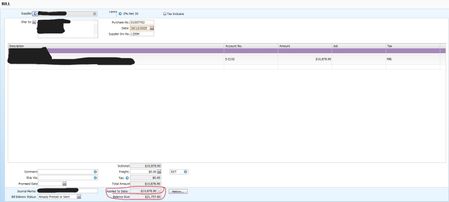
Those negative amounts in the “Applied to date” field on your invoices usually mean a payment was reversed or deleted incorrectly, which can leave a leftover negative value. There are a few places you’ll need to review, especially by recapping the transaction to see exactly how it was recorded. From there, you’ll be able to pinpoint what’s causing the negative amounts. I’ll drop some helpful links below for you to check out. If you’d like more hands-on help, the best next step would be to get in touch with our team by phone or via live chat through our virtual assistant, MOCA.
Cheers,
Princess
Search the Community Forum for answers or find your topic and get the conversation started!
Level up your skills and find answers across all MYOB products


