Forum Discussion

MarkJohnson's avatar
2 months ago

MYOB Team - Timesheet activities selection

I am trying to set up the activity selection for the MYOB Team timesheet completion.

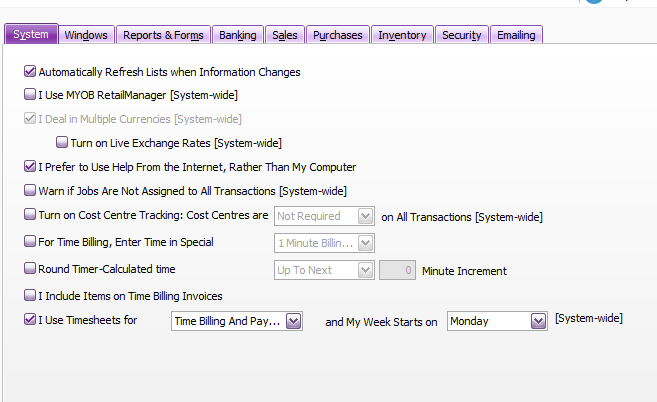
  1. I have completed the Setup preferences, Time Billing and Payroll. See screenshot.
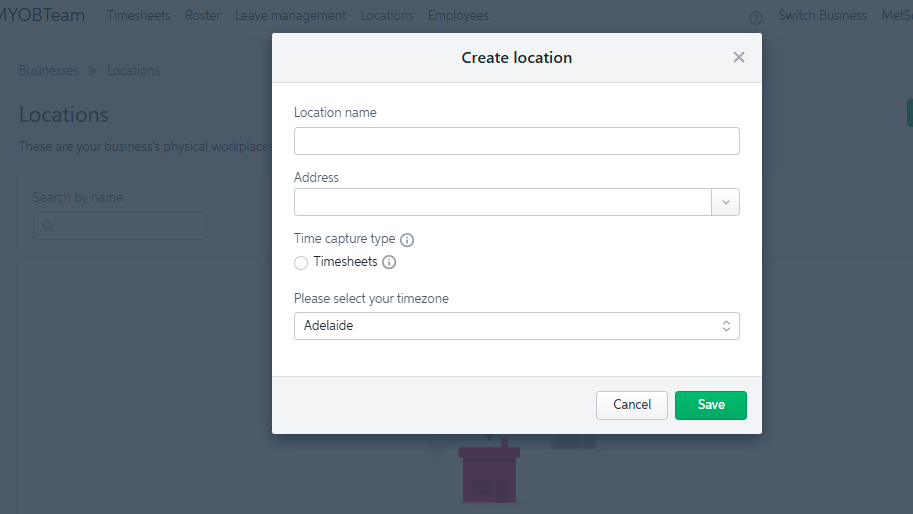
  2. When i try to set up the location in MYOB Team it doesn't allow me to select Timesheets (Payroll & Time Billing). See screenshot.
  3. I have activities set up in MYOB activities list and they are set to chargeable.
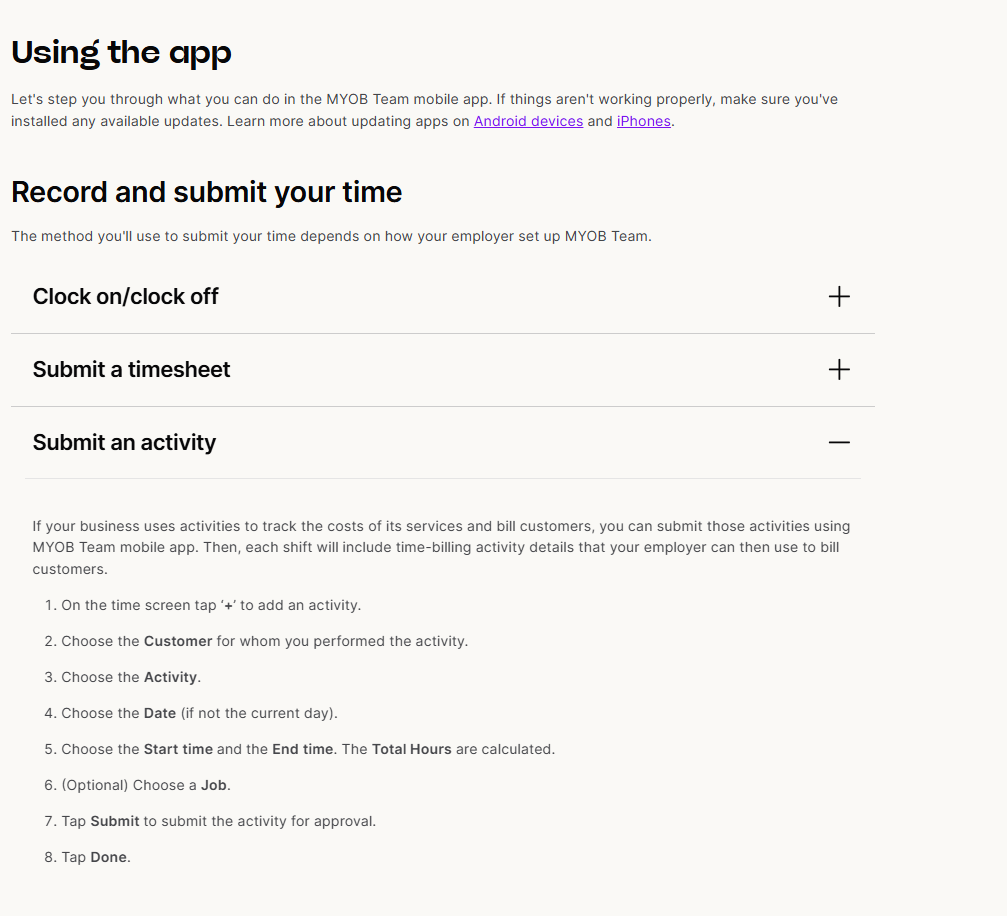
  4. When i use the MYOB Team phone app and select the + sign there is no option to add activity

am I missing a step or why can't i see option to add activity and client?

5 Replies

  • Earl_HD's avatar
    Earl_HD
    MYOB Moderator
    2 months ago

    Hi MarkJohnson,

    Thanks for your detailed input and for the screenshots, super helpful! 

    You’re actually on the right track here. When you have Time Billing and Payroll selected under Setup > Preferences, you’ll only see Timesheets as the available Time capture type when creating a location in the MYOB Team admin portal. This is expected behaviour.


    For businesses using both time billing and payroll, MYOB Team is designed to use a single capture method (Timesheets) for that location. You’re on the right track choosing Timesheets in this scenario.

    At present, detailed selection of jobs, customers and activities is still handled in AccountRight via timesheets/activity slips after the hours have come through from MYOB Team – those fields aren’t configurable in the MYOB Team admin portal itself. 

    You can also visit this help page for more information about Using the MYOB Team admin portal.


    Regards,
    Earl

  • Hi Earl,


    Thank you for your information. I have seen some screenshots and also mention within the MYOB Team documentation about adding client and activities to these timesheets.

    So, if the timesheet information is entered via MYOB Team i have to go into account right and then assign that time to a job and activity?

    Is there an easier way to have an online timesheet that allows employees to record time to a client, job and activity? We currently utilize an excel sheet which converts the data to be uploaded into MYOB but this is cumbersome and many touch points.

    Thanks & Regards

    Mark

  • Genreve_S's avatar
    Genreve_S
    MYOB Moderator
    2 months ago

    Hi MarkJohnson,


    Thanks for the extra detail.

    Right now, MYOB Team is basically hours‑only; it sends the time through, but jobs/clients/activities don’t reliably come with it.

    So:

    • If staff enter times via MYOB Team, you still need to open the timesheets in AccountRight (Payroll > Timesheets) and code each line to the right job/activity there.
    • There isn’t currently an online option where staff can pick a client/job/activity in MYOB Team and have that flow cleanly all the way through. The product team knows it’s a gap, but there’s no ETA we can share.

    At the moment, your choices are to:

    • Use MYOB Team just for hours and do the job/activity coding in AccountRight, or
    • Stick with your Excel/import setup if you need jobs and activities captured at the point of entry.

    I know it’s not ideal, but I hope that clears up what’s possible at the moment.


    Regards,

    Genreve 

  • Hi Genreve_S​,

    Thank you for the additional information and clearing that up.

    Is there a 3rd party app that can perform that task that you know of?

    Thanks

    Mark

  • Genreve_S's avatar
    Genreve_S
    MYOB Moderator
    2 months ago

    Hi MarkJohnson,


    Good question. I’m not really able to recommend specific third‑party software, but one option you might like to look into is TimeSite Pro, as it’s designed to track time against jobs/activities and integrate with MYOB.


    Beyond that, the best next step is to jump into the MYOB add‑ons / third‑party apps library and search for timesheet or job‑tracking apps that integrate with AccountRight/MYOB Business, then see which one best fits how your team works.


    Regards,
    Genreve 

Looking for something else?

Search the Community Forum for answers or find your topic and get the conversation started!

Community home

Level up your skills using MYOB software.


Find help guides and technical solutions for all MYOB products here

Explore video tutorials for our software at the MYOB Academy here


Dig into MYOB Academy for free courses, learning paths and live events to help build your business with MYOB.