Blog Post

MYOB Announcements
6 MIN READ

MYOB Secure Invoicing Upgrade: update and Summary 11/03

Mike_MYOB's avatar
Mike_MYOB
Community Manager
11 months ago

Hi everyone,

Due to a high number of comments (and MYOB replies) about Secure invoicing, I am posting a summary of the change, frequent questions/complaints and the answers from MYOB to make it easier for everyone to find this important information. I will also be archiving the previous discussions on the forum so that this new post becomes easier for customers to find.

It is a long update, but in the interest of transparency, fairness and to avoid any concerns around censorship, I am doing my best to make sure everything is covered.


The Secure Invoicing upgrade began with a small test group of customers in October 2024, and we have continued to roll this out to more customers in small batches since then. We are some time away from this being released to all customers, so don’t worry if you have not heard of it or seen any communication from us.

What is the Secure invoicing upgrade?

Secure invoicing is an important upgrade being rolled out this year to customers who send invoices on MYOB subscription plans. From MYOB Business Lite, through to AccountRight Premier.
The upgrade adds multiple layers of security for your business, plus automation features designed to help you save time and accelerate cashflow.

The Secure Invoicing ecosystem is a combination of the secure distribution of invoices using MYOBs trusted software (Email, SMS, CopyLink) and the ability to accept secure payments.


Secure invoicing includes:

  • Always-on fraud monitoring for transactions and payment activity
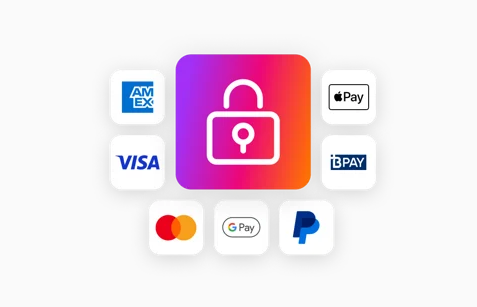
  • Secure payment methods
  • MYOB verified badge
  • End-to-end secure invoice distribution

Additional questions/objections to this:

  • Why is online payments combined with secure invoicing?
    + Online payments should be separate / I don’t want online payments
    + I’m happy to have additional security with invoicing but I don’t want to have payments.
    • The distribution of invoices using MYOB software, fraud monitoring and secure payment of invoices is combined into a single MYOB Secure invoicing ecosystem to provide the best possible protection for businesses and consumers. Although these features are combined, you have the flexibility to adjust settings to suit your preferences around the secure payment methods.
    • Learn more about changing your settings here 
  • Is this the same as e-Invoicing?
    • No – e-Invoicing is an ATO initiative, similar to this but it is only for the digital exchange of invoice information directly between a supplier’s and buyer’s accounting systems, regardless of the software they use.
    • You can learn about e-invoicing here.
    • MYOB Secure invoicing is for all business using MYOBs software, and applies regardless of whether the invoice is being sent to a business or a consumer.
Why is MYOB making this change?

Cyber security is a constantly evolving landscape with new threats emerging daily.
MYOB continuously develops and invests in solutions to meet these challenges, but security is a shared responsibility and requires vigilance from everyone.
Financial losses from online fraud and cyber scams cost Australians over $2 billion in 2023. Scam reports from businesses rose by 28%, resulting in $29.5 million in losses. Small businesses, with fewer resources for risk mitigation, were hit hardest, reporting nearly $12 million in losses from false billing—the most common scam.
MYOB understands that falling victim to a cyber scam can have very real consequences. That’s why we have developed and will continue to invest in secure invoicing, in addition to other essential security measures like Multifactor Authentication (MFA) and inactivity login timers.


Additional questions/objections to this:

  • Is there a legislative/legal mandate that MYOB is adhering to for this change?
    • No, the Secure Invoicing upgrade is a decision MYOB has made to protect business and consumers across Australia. There has been reference to MYOB complying with legislation as part of the verification process and this is still also true when it comes to the Secure payments component.
    • To comply with anti-money laundering legislation, we must verify certain documents in line with KYC (Know Your Customer) regulations. Read more here.
What do I have to do?

Customers are required to verify their business as part of the upgrade process. This includes identity verification of all ultimate beneficial owners (typically any individual with 25% or more ownership or voting rights for a company) 
Find out more about verification here


Additional questions related to this:

  • I don’t want to give sensitive information to MYOB
    + How is my data being stored and treated
    • All information will be handled in accordance with our Privacy Policy, which can be accessed here: www.myob.com/au/privacy-policy.
    • For further peace of mind, our current system for verification erases documents after 30 days and does not store them indefinitely.
What happens if I don’t want to verify my business and/or I don’t want to upgrade?

Customers who do not complete the business verification and upgrade to secure invoicing will be restricted from utilising the MYOB platform for distribution of invoices.
This means that distribution of invoices using the secure methods of email, copy link and SMS will be unavailable.
Customers can continue to send their invoices themselves however and will need to use a ‘Print to PDF’ option, then manually email the invoice themselves through Outlook, Gmail etc.


Additional questions related to this:

  • If I can no longer email invoices through my software, will I still be able to email payslips and other information?
    • Yes the restrictions only apply to the distribution of invoices. There is no restriction to emailing other items.
What are the fees and charges for the online payments feature?

The fee for secure payments is 1.8% of the invoice value + 25c transaction fee.
This only applies if the invoice is paid by a secure payment method.
For example, if the recipient of the invoice still chooses to transfer the money to you via bank transfer, there are no fees. But if they paid via Bpay, Visa, Mastercard etc then the fees apply.

  • Please note that there is flexibility with the fees.
    • You can decide whether the fee is paid for by you or by the person paying the invoice (surcharging). *Please note, BPAY fees are unable to be surcharged to the customer.
    • You can also choose whether you want to have BPAY enabled or disabled
    • You can choose whether you want to have secure payments enabled or disabled

*Please also be advised, that after completing the secure invoicing upgrade, the secure payments feature will be enabled on by default.


Find out more about the fees and charges here

Why should I use online payments?
(spoiler, this hasn’t been asked yet, but it’s important to know)

Using the online payments feature has multiple benefits to you and your business.

  • Get paid faster – the sooner a customer receives an invoice, the quicker they can pay you. But how much of a pain is it to copy a BSB and Account number into your banking app and make a transfer, add in the reference etc. The Pay now button in the invoice makes payment quicker and easier helping you get paid faster.
  • Getting paid faster helps increase cash flow to your business
  • Your customers have more choices in how they pay you. They can now choose to either pay by EFT as they have in the past or they can utilise their credit facilities to benefit them.
  • Better security – online invoice payments use several layers of protection to identify fraudulent behaviour.
  • Peace of mind – A network of verified businesses means fewer risks and safer transactions, so clients can invoice with confidence, and customers can pay knowing they’re interacting with a trusted business. 
  • Save time – get automatic notifications when payment is made on an invoice. Payments are automatically recorded in your software and the invoice closed off. Less time chasing payments and debtors.
  • Read all about it here

Additional questions/complaints related to this:

  • I don’t want to use the service
  • Why should I verify if I am going to turn payments off afterwards
    • MYOBs position is that Secure payments not only protects businesses and consumers from fraud but it supports businesses in getting paid faster, increase available cashflow and saving time chasing debtors or reconciling. We recommend and encourage customers to keep this feature enabled

Thank you for taking the time to read and understand this change more.
If you have a question, you are still welcome to reply to this post or start a new discussion in the forum.


Kind regards, Mike/MYOB

Updated 10 months ago
Version 3.0

309 Comments

  • DR321's avatar
    DR321
    Experienced User

    I would really like an answer to this question. If I verify my business as requested (and restore my invoice emailing ability) but later opt out from secure payments, will I still have the ability to send unlimited email invoices, quotes and statements? 

  • Hi DR321,


    Yes, your ability to email invoices, quotes, and statements stays restored after verification, no matter what you choose for secure payments. The only instance where your ability to share invoices would be affected is if you do not complete the business verification process.


    Cheers,

    Princess

    • DR321's avatar
      DR321
      Experienced User

      Hi Princess, thanks for responding. MYOB has made it clear that in order to be able to send invoices by email, my business needs to be verified, and that business verification was the most important issue. I did begin the verification process hoping to restore the invoicing functionality but didn't proceed. The reason I did not continue with the verification process is because some of the first questions were, 'what is your cash-flow and which bank can MYOB debit for fees' etc' also I had to give direct debit permissions. So essentially I needed to setup secure payments first, in order to start the verification process. I believe that MYOB would not have met so much resistance over this if users were simply given the choice to set up secure payments as a separate option (op-in), after the Verification was complete. I feel that if I'm required to give bank details and permission to debit my account it MUST be an 'opt in' situation.

    • DR321's avatar
      DR321
      Experienced User

      Thankyou Princess, however looking very carefully at the way invoicing is now setup after the 'Upgrade' I don't believe that, if I complete business verification then later turn off Secure payments I would then be able to email invoices through your system as the invoices would still contain the 'Pay Now' and Linking button (which would no longer work).

      Can you please provide a step by step (for dummies) of how I; 

      1 start the verification process (assuming the time has expired for sending emails from MYOB)

      2 turn off Secure Payments

      3 Now send an invoice without saving as a PDF first, then send using outlook or gmail

      I'm very interested in the Specific steps to verify my business.

      Previously you have directed me to simply 'Start the verification process' I want to know STEP BY STEP how this is done.

      I really don't want to go through the verification process to find I'm back to square one.

  • Hi MYOBcritic,


    Yes, if you’ve got a perpetual licence, you can keep using AccountRight offline. You just won’t get the live services unless your subscription’s active. Confirmation still happens, but in current releases it mostly runs quietly in the background via our licensing service, so you might not always see a prompt. If automatic confirmation can’t complete, you’ll get a prompt in the product. You can also confirm manually via Help > Confirm company file, or use our confirmation page if needed. For more info, check out this link.


    Cheers,

    Princess

  • Hi DR321,


    Thanks for the detailed note and for digging into how invoicing works after the upgrade. For a quick, straight‑to‑the‑point chat that covers the process and any questions, the best people to talk to are our Financial Services specialists. You can also review our Secure invoicing overview here.


    Cheers,

    Princess

    • DR321's avatar
      DR321
      Experienced User

      Thanks again Princess, I managed to finally get through to one of MYOB's agents and found out what I already know, plus some new things which may or may not be true.


      I already know that I can only verify my business by first setting up Secure Payments, then I can verify my business and after that, I can turn off Secure payments. 


      I didn't know that When I turn off secure payments, MYOB will remove the direct debit information I've entered so when I want to turn it back on, I will need to go through the setup process again to enter new direct debit info.  Set up of secure payments is bundled with business verification, wouldn't that need to be redone also?

      I was also told that when I turn off secure payments, my invoicing can be done through MYOB, however, the invoices would not contain the 'Pay Now' button or the 'Link to MYOB'.  I was concerned that once I turned of the Secure Payments, I would then need to download pdf invoices and attach them but apparently it will work as it did pre-upgrade. If that's really the case why take the functionality away in the first place?


      I made a point that I thought it was unfair the Secure Payments had to be set up in order to verify my business and I was told everyone is complaining about the same thing and the Developers are looking into it. Specifically everyone is asking that the business verification be completely separate form Secure payment setup. The agent then offered to reinstate my invoicing from MYOB for another month (which I didn't even ask for) to give me time to do the verification. I have already received an extension which has expired and my staff are currently downloading PDF for emailing invoices, there is no  point to an extension as it's not a solution. 

      Apparently someone from MYOB will call me back or email me.

  • DR321's avatar
    DR321
    Experienced User

    Hi Mike_MYOB, I would really like an answer to this question (which directly relates to the issue I brought up previously). One of my suppliers today sent an invoice to my company using MYOB's secure payment system, however they didn't have the correct email address so it was forwarded on to my colleague's email address then finally to the admin email which pays the bills. In this chain, every person who opened the email link generated a 'Visa' code which got set to another colleague. Apparently Click to pay has found my linked cards.


    Click to Pay has found your linked cards

    Enter the code Visa sent to an•••@mycompany.com.au or ••••••••3400 to confirm it's you.


    The people that opened the link were only trying to view the invoice NOT pay it.

    We should have no linked cards as my Company does not allow the storing of our credit card information.

    If the code was input into the form, would a credit card have been debited?, and how would I identify that card if it was in fact linked? (there is no description or 'card ending in ****')

    How do I contact Click to pay to remove a stored card? That info should be available in that form.


    I require contact info from MYOB info so I can follow up regarding the storing of credit card information and also the fact that a clear attempt was made to debit a credit card (by the generation of a code) when I only wanted to view the invoice not pay it. And I have no way of managing stored credit cards if in fact you have one stored.

    • Danos's avatar
      Danos
      Contributing Cover User

      This user’s experience clearly demonstrates that MYOB’s so-called “Secure Invoicing” system does not provide strong security.
      If an invoice link can trigger a “Click to Pay” process and generate Visa authentication codes simply because multiple people opened the link, that is a serious design flaw. It exposes businesses to the risk of unauthorized payment attempts and shows that MYOB cannot guarantee the safety of stored card information.

      Under these circumstances, MYOB demanding sensitive personal and business documents for “verification” is unjustifiable. Security should be proven through robust systems—not imposed through intrusive data collection. Until MYOB can guarantee true security and transparency, it should not restrict core invoicing features or force customers into its payment ecosystem.

      • DR321's avatar
        DR321
        Experienced User

        Hi AmandaMYOB, I have just raised a case, and already called support. Unfortunately phone support could not help me because I am the Customer, not the person who issued the invoice. I was told to tell my supplier to call MYOB and to withhold payment until the issue was sorted.

        My Company ONLY accepts invoices as PDF, and as I said in a previous comment, I don't want invoices sent from MYOB to contain payment links, links to unpaid invoices, or 'LInk to MYOB' UNLESS I CHOOSE TO. My Customers can pay by EFT, Credit card using MY merchant facility or Cash. I don't want or need MYOB's help to receive payment. With Suppliers I will only pay with EFT, BPay, or credit card directly to the supplier. 

        In this case the supplier has not received payment because MYOB invoices were all going to junk mail, so they decided to send an invoice to my colleague's personal email. Even more annoying is the fact that I have brought up this scenario in a previous comment, your answer will be its the suppliers fault for forwarding on the bill to the wrong person.

        Again I am questioning the security of Secure Invoicing

  • hasfree's avatar
    hasfree
    Contributing Cover User

    how long is the verification going to take my clients want to know 

    • Mike_MYOB's avatar
      Mike_MYOB
      Community Manager

      Hi hasfree​ , this can vary for each business. Depending on business set ups, eg overseas directors, or trusts, obtaining the necessary documents can take more time.
      The process of verifying once everything has been provided is short though, typically 1-3 business days

  • I need to add my voice to these complaints. I can't believe MYOB has removed this functionality on which so many of us rely. I am a BAS agent and have many clients using MYOB and relying on the emailing of invoices feature, none of whom want to go through the verification process. It would be so cumbersome to get all of the shareholders to do this. You've just made us all less productive and frankly, very angry. I have used MYOB for nearly 30 years but I've finally had enough. Surely the steady stream of people leaving myob should be an indication to them that they've really messed this up?

    • sterlingaccount's avatar
      sterlingaccount
      Cover User

      And JillJACS you are not the only one.  I'm a BAS agent, a bookkeeper and a customer of MYOB of easy 30 years.  I'm copping so much flak over this from my clients especially those having to provide Trust documents.  Come on MYOB work it out, no-one's happy.   Should be an opt in or opt out decision by the client.  If security is really your focus and not revenue from merchant fees, redesign the initiative please, it's just not working.

      • Mike_MYOB's avatar
        Mike_MYOB
        Community Manager

        Hi JillJACS​ and sterlingaccount​ , thanks for adding your feedback to this change.
        This upgrade process has been underway for about 14 months now and we have certainly had a lot of feedback, particularly in the Community Forum here.
        Opt-in rather than Opt-out for the Online payments feature has probably been the loudest.
        There will be a change coming where we aim to move to completing business verification at the time a customer first starts using the invoicing feature.
        Transitioning our existing customers was important for us as we took these steps to help reduce invoice fraud in Australia, provide more security to our customers with their invoicing and provide safer, faster payment methods for our customers as well.