Featured Places
Questions and Discussions
Ask questions, share advice and get help using Solo by MYOB for accountants and bookkeepers1 month ago18 Posts News, Updates and Announcements
Get updates and helpful resources about Solo by MYOB for accountants and bookkeepers8 months ago5 Posts


Featured Content
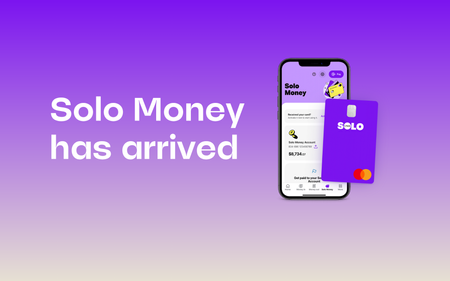
We’re excited to announce the launch of Solo Money, a business bank account built into Solo.
What is Solo Money?
A dedicated business bank account built into Solo. Your clients can s...
178Views
0likes
0Comments

We have an exciting update!
Your clients can now invite you to collaborate on their Solo file to get them tax-time ready. Once they send the invite, you’ll be able to access it via the MYOB browser...
119Views
0likes
0Comments

Hi everyone,
For advisors who are used to our MYOB Business software, there are some differences in the terminology used in the Solo app. Your experience accessing the solo file in the brows...
123Views
0likes
0Comments
Stay in the loop
Never miss an update
+
Click the follow bell icon on any board, category or post to get notified when new content is posted
Incidents & Outages
Check for incidents & outages that may affect your software
Click here to view status page
Learn, solve, grow
Level up your skills and find answers across all MYOB products
Featured Content
Hi all, You have questions, and we've got the answers! Check it out here
How are the returns integrated and filed with ATO? Click here
Can I export data for providing advanced rep...
185Views

Customer Sales Reports
I need to create a report of the created invoices in Solo Browser. The only way is to click on the three dots and select the Customer Sales in the Invoices Screen. The Solo software has a bug and it directs me back to the main Dashboard Screen when I click the Customer Sales Report. Does anybody know how to fix this issue?127Views0likes3Comments
Bank Feed
I am currently flagged for bank feeds, can this be turned off, therefore being required to do a manual reconciliation. If this is possible, how is this done? I already have transactions appearing from the bank feeds, if I turn the bank feed off will this confuse MYOB when performing the reconciliation? I have a situation whereby I have a duplicate transaction that no one from MYOB can apparently remove as this was imported into the system by a QIF file. My thought process was to revert to a manual system, so I can do GL journal for the dup transaction, and flag both when processing the bank reconciliation. Open to any suggestions. Thanks!39Views1like0CommentsGST Setting on sign up
Why is there no option to state that a business is not registered for GST when they sign up with Solo? As a bookkeeper I spend an extra hour of set up (non-billable) working on a clients chart of accounts returning them all to N-T status before changing their status back to unregistered. This however does not allow for the removal of 'Tax Inclusive' and Tax Exclusive' from the invoices and such which is causing confusion for the clients and may lead to incorrect data in case of audit and mislabelling of data for clients and their clients or when the Tax agent uses the data to complete tax returns. Solo is an amazing app for small business. But it needs to stop assuming the world is registered for GST and allow the client to decide this fact on start-up to ease issues and confusion at a later date. My Micro client, who is in the red at current, will now be sending Tax Invoices that include tax notes like included or excluded and GST notes even though they are likely never going to need to register.111Views0likes1Comment
Undeposited fund account
Hi, I am new in MYOB solo and access Solo from my laptop. I used Bank\Receive money\undeposited funds account (asset) to record multiple cash sales. This sums up with $1840. $1,840 was deposited into our bank account and bank transaction in Solo showed this amount. However I don't know how to clear the undeposited funds account. Thanks for your reply381Views0likes6CommentsMYOB Solo
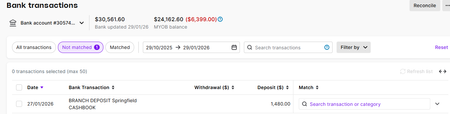
I have a new client and have started him on Solo, and he has invited me into the file. However, I cannot see the bank transactions, but I can see all the transactions via the find transactions function. I need to see the bank transactions to reconcile the bank and make sure I have captured all the income and expenses. Have I missed something?431Views0likes4Comments
Preparing client BAS and looking for Solo app visibility
Hi there, I am working with a client on SOLO but finding the bookkeeper access very limited especially when trying to do quarterly BAS, help & ascertain where they are having issues. Not having access to the APP itself is VERY unhelpful to see the USER options & menus available i.e. setting up bank rules etc. Is there a plan to add this to the Bookkeeper access as it would help us to support our clients and also help us recommend SOLO? PS I have access to competitor apps320Views0likes1CommentTransfer between bank accounts
I am a Bookkeeper working with a client on SOLO and I can see bank transactions where money is being transferred between bank accounts are not picking up the bank statement description. Why is this? As you can see I have attached the ledger dumped into excel Thanks119Views0likes0Comments