Error Connecting Windows App to MYOB
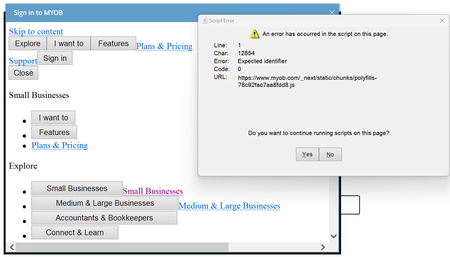


Phil_Jeffrey_KCMaybe you're looking at the wrong property? When using WebBrowser the "http://desktop" was in the DocumentText property, after converting to WebView it's in Source.AbsoluteUri.

Thanks SteveP1 . My problem seems to be, every time I navigate to the URL to get the authorization code, it redirects immediately to http://desktop without asking for my.myob login details. It asked for login details the first time, but since then I can't get the my.myob login screen to show. Is there some caching happening somewhere? Is there any way to force the login screen to appear?
Phil_Jeffrey_KCWe do cache the token, it sounds like you might too. There's a description of using Windows Isolated Storage for caching MYOB tokens here: https://apisupport.myob.com/hc/en-us/articles/5215765325071-Cloud-Service
The location from the example is:
C:\Users\<username>\AppData\Local\IsolatedStorage\<randompath>\Tokens.json
There isn't anything in the file that identifies it as MYOB, so if it's there try renaming it and see if the login prompt comes back. If it still doesn't prompt for login, rename the file back because it might be for something else.
Thanks SteveP1 , That put me on the right track. Although it seems the file is now called TokenCache.dat. I renamed the file, and the login screen has now re-appeared.
Phil_Jeffrey_KC The reason I mentioned the Source property earlier is because I had the same symptom as you. I sent the initial request and when the response came back as the redirect URL ("http://desktop/...") I needed to parse it for the "code=<blah>", but I was looking in the wrong property so "code" wasn't found, so the logic assumed it was a "real" URL and tried to browse to "http://desktop?code=...". That seems to be what you're experiencing.
SteveP1Thanks again. Because the old WebBrowser control contained the Auth Code in Document.Title, I was using the DocumentTitle property of the new AntView EdgeBrowser control, which I have now learned only contains the URL if the HTML document has no title. As you alluded to, it is the Source property that contains the full URL and hence the Auth Code. Thank you so much for putting me on the right track.
If anyone is after a solution for Access VBA apps, I have solved the issue using the AntView ActiveX control. I have posted some sample code in this thread.
Search the Community Forum for answers or find your topic and get the conversation started!
Level up your skills and find answers across all MYOB products


