patricko
7 years agoContributing User
Importing Quotation Marks
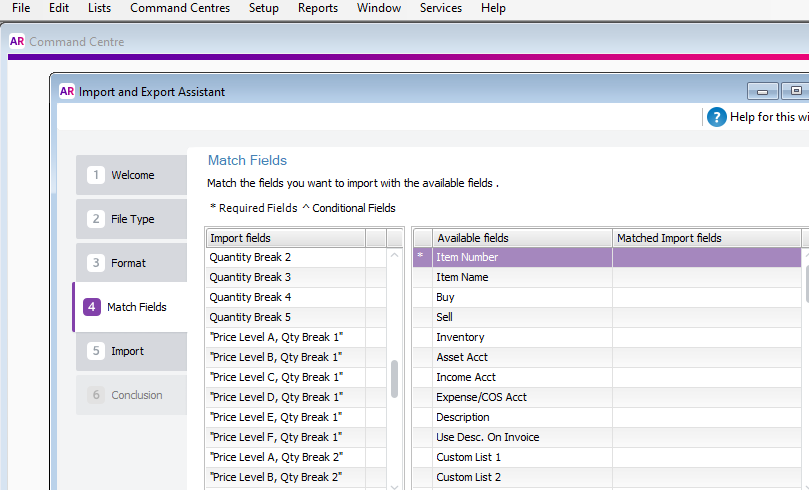
I have exported my items out of accountright and then alter the prcing in excel and save as a text tab delimited .txt file. When I then import back into myob everything looks good except for all the ...
- 7 years ago
Hi patricko , this happens because the field name contains a comma, which 'obliges' Excel to add quotes around it when saving.
The easiest solution is to edit the file as it is being imported (ie when you browse for the text file, right-click, choose Edit, then in the editor, choose Edit, Replace, and replace all quotes with nothing - assuming there are no quotes anywhere else in your file, if there are you need to replace one at a time). Then close the file, save it, and contrinue with your import.