Forum Discussion


Shella_A
2 years agoMYOB Moderator
Hi janjac,
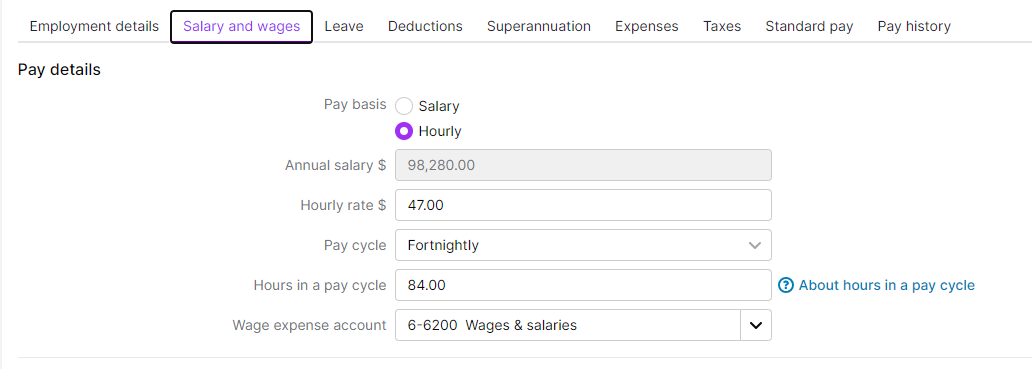
Thanks for your response, and my apologies for the delay in replying. I understand that the calculated rate and the hour rate differences can be confusing. The 'Calc. The Rate' field on the pay slip report is a calculated field; it doesn't pull from the hourly rate set in employee cards. It simply takes the actual total amount paid and divides it by the hours, producing the actual hourly rate used in the pay run. This field does allow for a maximum of 6 decimal places. The hourly rate shown when printing or emailing pay slips will still be 2 decimal places.
Please let me know if you need further help.
Otherwise, if my response has answered your inquiry, please click "Accept as Solution" to help other users find this information.
Kind regards,
Shella

janjac
2 years agoExperienced Cover User
This employee like the 20 others is on a flat hourly rate, there was no half or 1/4 hrs involved.
Every other employee has the same configuration but maybe a different rate per hour, why did it only happen to 1 person's pay.
There is nothing logical about it.
Just like the invoice numbers doubling up - still happening and there is no rhyme or reason why.
MYOB did an upgrade that was litterally the biggest down grade ever AND they put the fee's up !!
Not too many happy faces around the new MYOB I can tell you.
- Shella_A2 years agoMYOB Moderator
Hi janjac,
Thanks for the response.
My apologies for the late reply. I understand your concerns about the recent upgrade and the issues you've been experiencing. I highly appreciate the patience you have with this matter.
Regarding the issue with the employee's pay, there might have been an error in the payroll configuration. We have a guide on how to fix pay if an employee has been overpaid or underpaid. You can adjust their next pay to account for the overpaid or underpaid amount. If you've underpaid the employee and they want to be paid the difference right away, you can record an unscheduled pay for the underpaid amount. You may check out this help article, Fixing a Pay, for more information and instructions. There have been some challenges with the upgrade, and the teams are working on improvements. We really appreciate your feedback, and rest assured that we will keep you updated with some improvements.
Feel free to post again anytime you require further assistance.
Otherwise, if my response has answered your inquiry, please click "Accept as Solution" to help other users find this.Kind regards,
Shella
- janjac2 years agoExperienced Cover User
HI Sheila,
I have sorted the pay difference.
I did nothing to change the employee information and the next pay was correctly calculated, it was an inconvenience and it shouldn't happen, hopefully it won't happen again.
Have a great day
- Shella_A2 years agoMYOB Moderator
Hi janjac,
Thank you for the update.
I'm glad to hear that the pay difference issue has been resolved. It's indeed inconvenient when such issues occur, and I understand your concern. Rest assured, the system is designed to function accurately and consistently. Please be informed that we will be closing this thread now.
If you encounter any more issues or need further assistance, feel free to start a new post again. We're happy to assist you.
Kind regards,
Shella
Looking for something else?
Search the Community Forum for answers or find your topic and get the conversation started!
Learn, solve, grow
Level up your skills and find answers across all MYOB products