Forum Discussion


Jemar_C
1 year agoValued User
Hi Pippasdt,
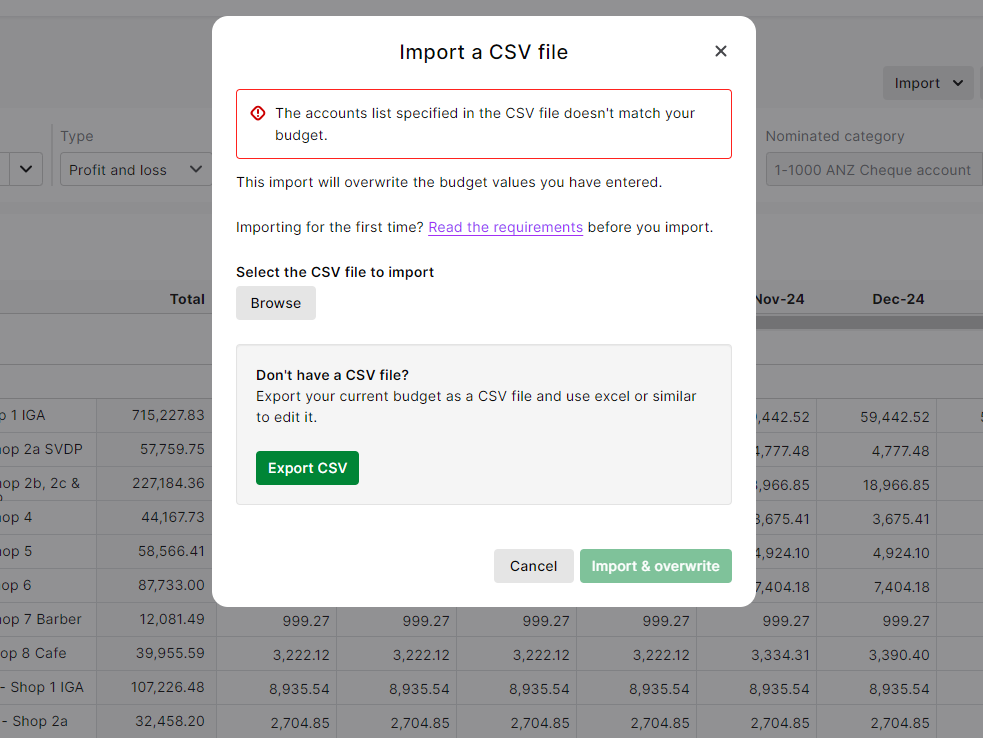
May I ask if you have checked your accounts list if it matches as it might be the error if we will be checking the screenshot.
Chers,
Jem

Sandy6
1 year agoExperienced User
Hi Jem
As I have already advised, when it didn't work importing the CSV file, we did a test where we exported the budget as a CSV file and immediately imported that same CSV file without making any change and we got the same error. We've tried this test on multiple MYOB files and have the same result so it can't be user error in changing any of the account data.
- Earl_HD1 year agoMYOB Moderator
Hi @Sandy6
Some formatting can cause the file to not import successfully into MYOB, so please note the following: Adding columns and rows - Do not add new columns or rows to the area highlighted below. If columns or rows are added to this budget editing area, you won't be able to import the file (please see the attached image).
If the issue persists, try using our virtual assistant, MOCA. It's designed to dive deeper into issues like this. You can access MOCA through myob.com/support for any queries or assistance you might need. If MOCA can't resolve your issue, our live chat team is available to help you further.
Regards,
Earl

Looking for something else?
Search the Community Forum for answers or find your topic and get the conversation started!
Learn, solve, grow
Level up your skills and find answers across all MYOB products