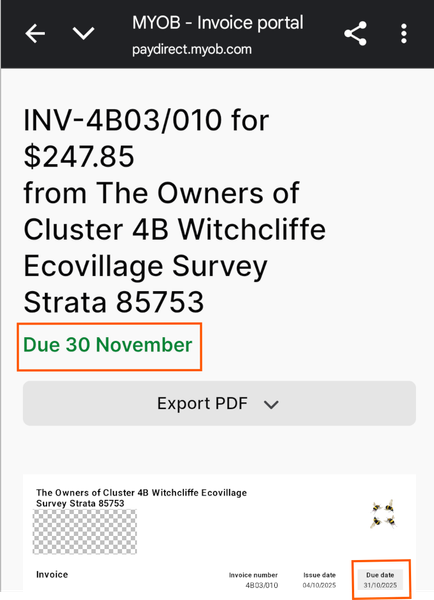
Incorrect Due Date shown in online invoice


Hey NewTreasurer,
Good pick-up on the mismatch between the online invoice header and the due date on the invoice (top shows Due 30 November while the invoice shows 31/10/2025). This happens if the invoice was emailed with the original date (A) and the terms were changed later to a new date (B), as the online view keeps the first date until you resend the invoice. To sort this out,
If the date mismatch continues to show after the resend, make sure to reach out to our team on Live Chat via our virtual assistant, MOCA, or by submitting a support case via My Account. They'll be able to check it deeper.
Cheers,
Doreen
Search the Community Forum for answers or find your topic and get the conversation started!
Level up your skills and find answers across all MYOB products


