BronwynHamsterTrusted Cover UserJoined 10 years ago230 Posts40 LikesLikes received2 SolutionsView All Badges
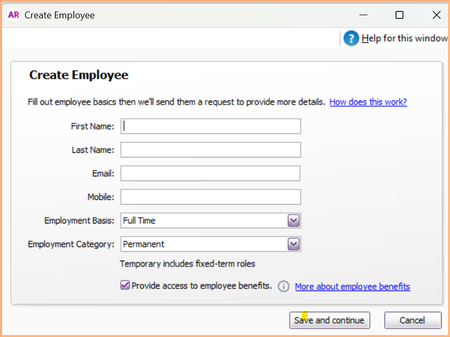
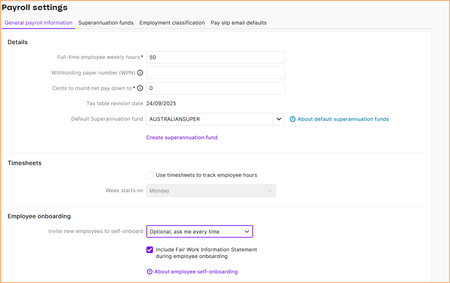
ContributionsMost RecentMost LikesSolutionsMYOB Teams for Account Right Live Happy New Year! I have started to setup Microsoft Teams in ARL and only realised that the timesheets option offered in Locations only works with MYOB Business Pro. Software gave me the option, even though I don't have a Business Pro subscription. Added an approving manager which was fine but then realised I couldn't add employees. So finally on some searching found the Getting Started with MYOB Teams. Deleted the location that had the timesheets option, added a new one with Clock On, Clock Off Mobile. But now I can't add an approving manager to the new location. Software advises there aren't any employees to choose. HELP PLEASE !!!! Thanks, Bronwyn Re: Payroll - creating new employee Sai, jumped the gun. I was accessing the incorrect area on the desktop version. All working smoothly. Thanks for the update, Bronwyn Re: Payroll - creating new employee Thanks so much Sai! Seems like desktop version is yet to catch up. Online version working perfectly. Would MYOB please ensure Desktop version is updated with the screen shot you sent over? Cheers, Bronwyn Re: Payroll - creating new employee Suzy888, aren't you the "thinker outside the box"! Didn't occur to me. Thanks!! Hopefully, MYOB will address. To contact support takes so long, especially when they don't want to revert to the initial prompt. Re: Payroll - creating new employee This isn't a case of MYOB "fixing things that are not broken". This is a case of MYOB forcibly making us use Flare, which also earns advertising dollars for either/both MYOB or Flare. Without any advice, or consultation, with their clients. So typical of MYOB. Re: Payroll - creating new employee Hi Doreen, That is exactly the tiny underlined link that disappeared yesterday after 9am but before 1pm! From several MYOB files, both Account Right and Account Premier, not just one. It used to sit next to the Save and Continue button but MYOB want to force you to use Flare so used to make it difficult, now that link is not available. So, the error and request still stand. Thanks for attempting to help, Bronwyn Re: Payroll - creating new employee Would someone please address this? Thanks. Payroll - creating new employee Would MYOB please immediately pop back in the "manually enter details" which has literally disappeared over the last few hours from the create new employee card. We do not wish to use your employee onboarding. Whoever thought it was a good idea to remove in the first place? Thanks in advance. Bronwyn SolvedRe: Logging on to Account Right Hi, all working now. Cheers, Bronwyn Logging on to Account Right Hi! I am out of Australia, currently in Mexico, and cannot login to MYOB. The message: Revocation information for the security certificate for this site is not available. Do you want to proceed? Options are "Yes / No / View Certificate". If I view certificate details shown are: General Issued to: id.myob.com Issued by: Amazon RSA 2048 M02 Valid from: 09/12/2024 to 09/01/2026 Details: too many to list Certification Path: lots of details - this certificate is okay. Have travelled extensively and this has never happened to me. HELP! Thanks, Bronwyn