Hi JenDPT - thanks for the question.
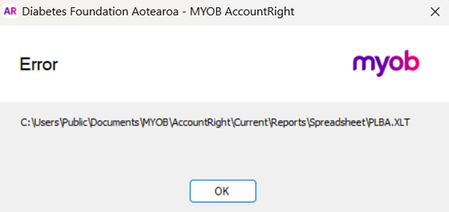
The error message is pointing to AccountRight’s Excel template file, PLBA.XLT, rather than the report itself. As PDF export is working, this may be related to Excel blocking the older template file.
Could you try the following?
- Open Excel and go to File > Options > Trust Center > Trust Center Settings > File Block Settings.
- Make sure Excel 97-2003 Workbooks and Templates isn’t selected to be blocked.
- If the issue continues, go to Trusted Locations in Trust Center Settings, select Add new location, and add: C:\Users\Public\Documents\MYOB\AccountRight\Current\Reports\Spreadsheet
- Close Excel completely, then try exporting the report from AccountRight again. If Excel is still running in the background, end any remaining Excel task in Task Manager first.
It’s also worth checking that PLBA.XLT exists in that folder. If it’s missing, the AccountRight report templates may need to be restored by repairing or reinstalling AccountRight.
I hope this helps!
Adrian