Hi Brindly,
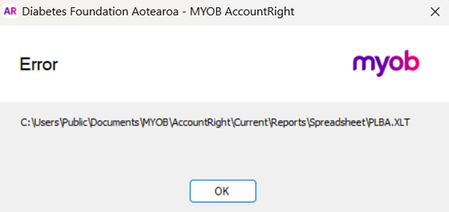
Thanks for sharing the screenshot. I can see that the Microsoft Excel error is hindering you from exporting your reports.
That message means Excel is blocking the older template used when AccountRight exports reports.
Please try the following in Excel:
- Go to File > Options > Trust Center > Trust Center Settings.
- Select File Block Settings and find Excel 97-2003 Workbooks and Templates.
- Make sure this file type isn't blocked, then select OK.
- If the export still doesn't work, go to Trusted Locations, select Add new location, and add: Documents\MYOB\AccountRight\Current\Reports\Spreadsheet
Close and reopen Excel and AccountRight, then try exporting the report again. As this changes Excel security settings, you may need to check with your IT professional first.
For Microsoft’s instructions, see What is File Block? and Add, remove, or change a trusted location in Microsoft Office.
Regards,
Genreve