Hi Sharyn91665,
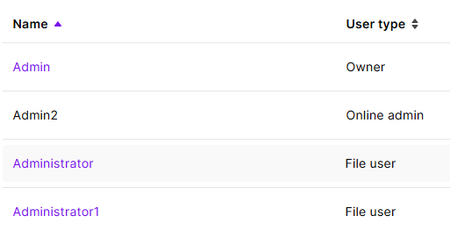
Thanks for the screenshot. It looks like Admin2 is an inactive Online admin in your online profile, rather than a user in the AccountRight file. As you’re the Owner, sign in to the online portal using Admin, then go to Settings > Users and permissions. Filter the list to Inactive and select Admin2. If the option is available, reactivate the user, then remove the user or update the email address so it’s no longer holding your new email. I’d avoid creating another user for now, and don’t change or delete the active Owner profile while this is being sorted. The Manage users guide has the steps for checking user status and managing access. If Admin2 stays black or can’t be opened, please contact MYOB through our Contact Us page.
Cheers,
Doreen