MYOB New Employee Onboarding - Default Superfund not set up error message
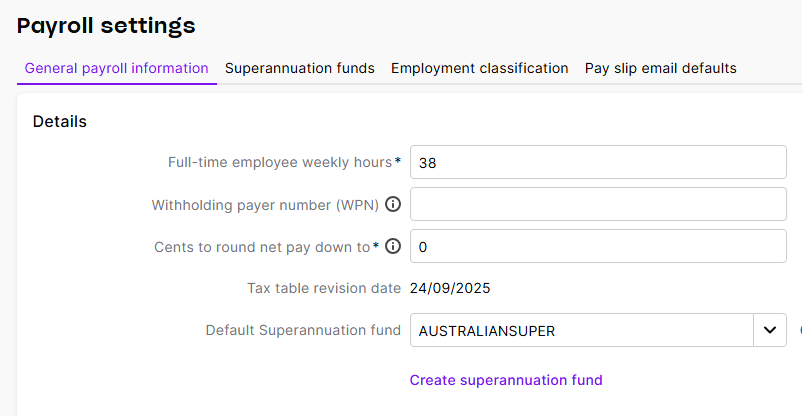
I am getting an error message during inviting a new employee of "You haven't setup a default super fund" but I do have the default fund selected in the payroll setup. I have tested out an existing Employee Superannuation Standard Choice Form and it does fill in our default fund details.
Our employer's default super fund is not appearing on the Superannuation Standard Choice Form for a new employee via the self onboarding. They cannot choose it as its not filled in.
We are using Account Right Premier. Please advise how to fix this so it is included in On boarding.
Hi KIPG,
Thanks for the screenshot, super helpful. That error usually pops up when the default fund (AustralianSuper) is set up as an SMSF rather than an APRA fund.
Quick fix:
- Go to Settings (cog) > Payroll settings > Superannuation funds > AustralianSuper, and change the fund type to APRA. Save.
- Re‑send the onboarding invite.
If it still plays up:
- Recreate the fund: add a new AustralianSuper with the same ABN/USI, set it as Default, Save, then re‑invite.
Regards,
Genreve