Forum Discussion

karmar07's avatar
karmar07
Member
5 months ago

MYOB Capture App - Not loading documents

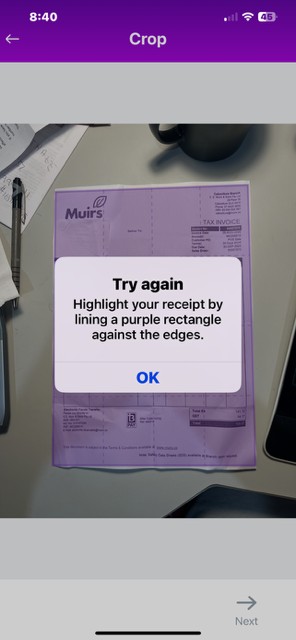
Recently I've been having difficulties uploading documents through the Capture App (I use iPhone).  After I resize the purple area to fit the document, then press NEXT, I get an error message 'TRY AGAIN Highlight your receipt by lining a purple rectangle against the edges".   I repeat the instructions, but keep getting the same error message and can't proceed any further.  

1 Reply

  • Doreen_P's avatar
    Doreen_P
    MYOB Moderator
    5 months ago

    Hey karmar07,


    Thanks heaps for laying out what’s happening on your iPhone with the Capture App. It’s super helpful to know you’re resizing the area and following all the steps, but that ‘TRY AGAIN’ message keeps popping up. This could be tied to the Capture App update we’re working on for iOS. The best workaround is to pop your receipts and bills straight into AccountRight. It’ll keep everything ticking over for now.


    Cheers,

    Doreen