Forum Discussion


Melisa_D
3 years agoFormer Staff
Hi serinat1,
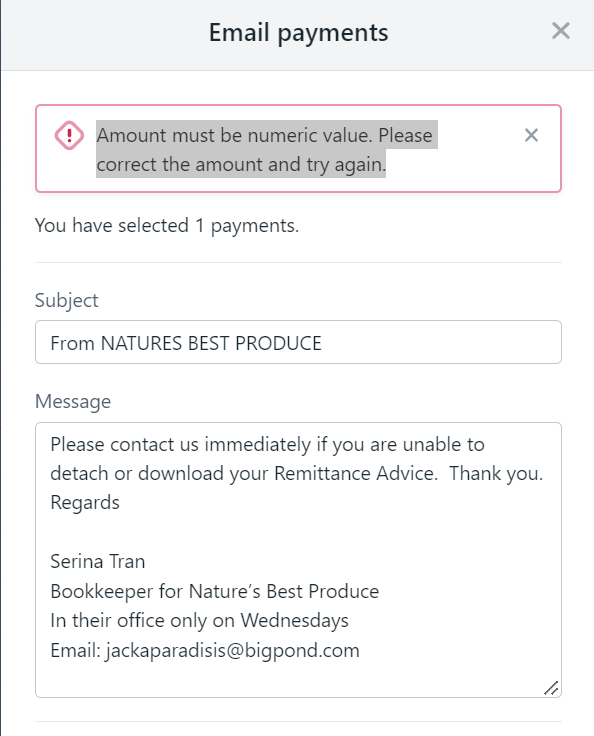
Sorry to hear that you're still having troubles with this. Can you try and email the remittance again if this doesn't work can you please retrieve the Chrome Console errors so I can investigate this:
To open the console can be opened using one of these methods
- Select the Chrome menu (3 vertical dots) and choose More Tools >> Developer Tools
- Right click on the Chrome window and choose Inspect
- Using the shortcut keys Ctrl + Shift + I(nspect)
Once you've opened the console:
- Choose the Console tab to view the logs being produced.
- Right click and choose Clear Console
- Please repeat the action that causes the error in your file. Any errors within the logs will be recorded in red error text.
- You can save the log as a .TXT file and attach it to this thread or please attach a screenshot

Shelipops
3 years agoMember
This happened to me aswell.
can you please help?
- Melisa_D3 years agoFormer Staff
Hi Shelipops,
Thanks for your post and the error log attached. To troubleshoot, if you select 1 remittance to email, does it work ? Or do you receive the same error ?
- Shelipops3 years agoMember
Hi Melissa,
I have now tried selecting one at a time and found that only one supplier did not work due to having "invalid bank details". I saw though that the bank details were infact filled correctly so I simply saved the contact again and refreshed my remittance screen.
This rectified the contact and was able to get the remittance sent. I had to do this will all the other suppliers aswell though previously. So I am hoping that on my next payment run I will be able to send these remittances as a batch.
Thanks!
 Jackie743 years agoMember
Hi, has this been fixed for you as yet? as i'm still having the problem..
Thanks
Jackie
Looking for something else?
Search the Community Forum for answers or find your topic and get the conversation started!
Learn, solve, grow
Level up your skills and find answers across all MYOB products