Forum Discussion

7 Replies
- Earl_HD11 months agoMYOB Moderator
Hi Malindi,
If you mean text boxes on an invoice, you can simply click inside the box, right-click, and select 'delete' to remove it.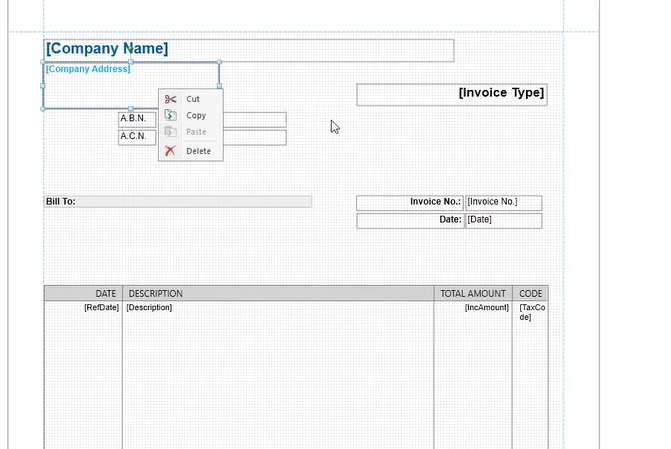
Hope this helps!
Regards,
Earl  Wisgroup3 months agoMember
I have the same issue, But i want the text to stay just not the outline, but when printed the box outline remains and looks ugly and unprofessional. I have removed the "field colours" also the grid options to none, and still they wont go away when printed. Pleaseeeeeeeeee help its driving me insane
 CCI3 months agoExperienced User
Hi Wisgroup
Do you mean the border? Field Outline
- Wisgroup3 months agoMember
Yes, but its still showing on the printed document
- CCI3 months agoExperienced User
Have you tried changing the Field Outline to No Colours or even White? If that fails then I'm not sure why the border would remain to print. Sorry
- Wisgroup3 months agoMember
yes i have. annoying bug it would seem
- Wisgroup3 months agoMember
I ffound a fix - used Send To disk option and it save as pdf without the box field outlines

Looking for something else?
Search the Community Forum for answers or find your topic and get the conversation started!
Learn, solve, grow
Level up your skills and find answers across all MYOB products


